Trooper Lundy
Members
-
Joined
-
Last visited
Everything posted by Trooper Lundy
-
-
-
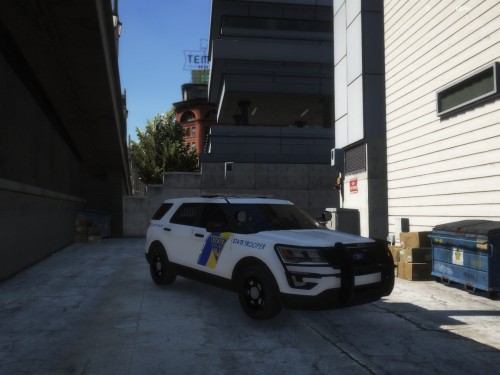 This was my first texture made, I think it came out pretty good, please post in the comments/reviews on what you think! Model for the texture: Installation: Go to: GTA5/MODS/update/x64/dlcpacks/patchday20ng/dlc.rpf/x64/levels/gta5/vehicles.rpf Click on the YDT of the file you just installed (Most likely Police3.ydt) Find "Exp_sign_1" as well as 2 and 3 and delete them Drag the file into it and press Ok, Then save it
- 1 comment
- 1 review
-
-