


RedCobalt
Members
-
Joined
-
Last visited
Everything posted by RedCobalt
-
supporting my boi right here
-
 I have an issue with dirt making the tail light go foggy/coated in white. I've tried editing the dirtlevel in the vehicles meta but it doesn't seem to work. Does anyone have an idea on how to resolve this issue?
- 65 comments
- 36 reviews
-
The first time I called in first responder units and emergency units, I was shocked to see a hearse and a pink duke o death respond to the scene... to make things funnier, zombies were driving the hearse. Sadly I wasn't able to take a screenshot of it. Ok I have found a thread posted last year confirming that it is an April Fool's joke but does anyone have any idea how to revert it or do I really have to change my system date?
-
 I've got about 3 crashes already when closing Computer+ (clicking the Logout button) but I was only able to save the latest crash log. Will post succeeding logs if more crashes happen. (Note: I've only provided the last significant line of the log. If the whole log is needed I'd gladly post it here)
- 1,743 comments
- 172 reviews
-
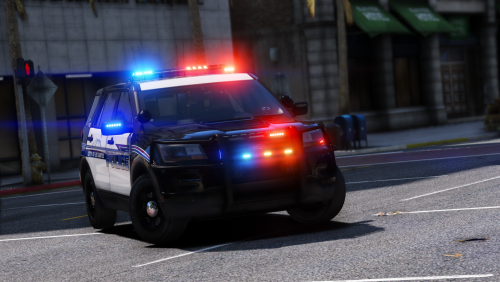 Hello! I just downloaded this mod but replaced the police instead of the police3. Everything's working great except the glass doesn't break and bullets just go through them. Does this have something to do with not replacing it with the intended police3?
- 60 comments
- 32 reviews
-
If you made a backup of your vehicles meta and carvariations meta then you could just copy them back to their respective locations in the mods folder through OpenIV unless if your modded vehicles involve modifying more than those two files then you're probably better off deleting your mods folder.
-
I managed to solve my problem by disabling my antivirus shields (I have avast installed as my antivirus).
-
I have found the culprit after a friend suggested that I try disabling my antivirus (I am running Avast antivirus). True enough, I disabled the shields using the avast shield control and tried copying the file and it worked!!! It never crossed my mind that my antivirus could be the main culprit as most of the access denied errors suggest taking ownership of the affected folders and other solutions such as changing admin privileges and file control settings .
-
It seems like we're having the same problem.
-
Good day everyone! I just updated my RPH to the latest version but not before having to delete all files from the previous version and verifying game integrity using Steam. After downloading v0.58 of RPH I extracted all contents to the main folder of my GTA V but it ends up showing a "Destination Folder Access Denied" error. Some files were successfully copied and I was able to pinpoint the file causing the error which was RAGEPluginHook.exe. Steps I've taken so far without success: *Taking ownership of the folder (Using my PC username, Administrator, Administrators, Everyone) *Turning off UAC *Extracting the file elsewhere, unblocking it, then copy-pasting/cut-pasting it to the game folder P.S. It's my first time in the forums and I'm not sure if this issue appropriately belongs to this topic

