

ThePatriot1776
Members
-
Joined
-
Last visited
Everything posted by ThePatriot1776
-
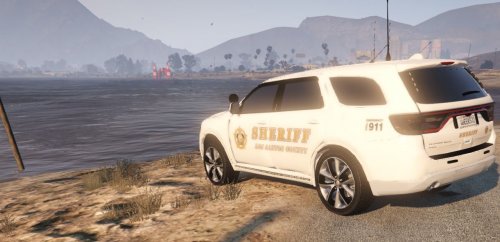 Hello, This is a vehicle we have all been waiting for, the Dodge Durango (America's Badass SUV). Now it has a new skin for it that fits in with the Vanilla LSSD skins. It's a pretty basic skin... Simple to install. (If you need help installing, check the "Read Me" file.) Created for Torzzz 2015 Dodge Durango:
- 1 review
-
-

- 3
-