


ROYKIRK
Members
-
Joined
-
Last visited
Everything posted by ROYKIRK
-
If the game still crashes or wont load I had to do a regedit removing three files their make sue you look in the software\wow6432 file that's it three place in the reg file where you'll find the rockstar files and delete game files in there and in the documents file and any leftover files in the program file (x86) and if your still having issues were the game crashes after the game loads i found out the is might be a saved game file causing the problem... So when the game start choose new game and overwrite last file saved. Good luck!
-
Looks like LCPDFR! Hahaha!
-
I had several issues about two weeks ago and it was so bad GTA IV wouldn't even load from a clean install. So I couldn't play and this is my fix for it.. I fixed the problem myself with some minor help from the guys at Rockstar. One of the only things that they said that helped is to use a program call "CCleaner" found here - http://www.piriform.com/CCLEANER Then it was all me bouncing my head off the walls trying to get it back up cuz they had no clue and after 14 emails I gave up on them.. Then cuz that's only half the battle I came up with this and here's how I do it... Deleting all files in your (program file (x86) meaning anything that deals with the game and your document files as well. Next I also I go in to - regedit in your run box when you click on the start button type in regedit. Then there is files in there I took out which was anything to do with the game.. when your using regedit the files you want to look at are as following and delete them: Hkey_classe_user\software if your using (GTA IV vehicle mod installer (I remove this file too you might not have to but it's what I choose to do so!) hkey_classe_user\software\wow6432node\rockstar hkey_classe_machine\software\wow6432\rockstar again document files and anything in your rockstar folder in your (program file (x86) after that is done I run CCleaner reboot - (not wasting time on leaving anything to do with the game cuz it causes load faults and you just have to do it anyway it seems!) Then reload the game and all mods and skins you use and let the fun begin... I have the downloaded version from Rockstar warehouse I can tell you where on earth my saved game is cuz I have looked everywhere and can't find it but when I reload all of my save progress is still there so i don't worry about that! I hope this help you and anyone else having issues! P.S. Sorry I suck at writing so I hope you understand what I saying!!!
-
-
-
Oh Noooooo! Say it isn't so!!! I love my Vic! :confused:
-
Ya mine was down on Saturday 8-11-2012 and is still down!
-
It would be nice if one of you programing gods could make the car wash places work. I enjoy a clear squad and it would just give you another thing to do in the game that you would do in real life... I know its not catching the bad guys but most officers keep their squads clean. Thanks! Minnesota State Trooper Roykirk
-
-
-
Has anyone made a K9 script so you dont have to use a trainer?
-
Hello, I would like to work another part of the city but I started with a fresh game, since i've never played this on the PC before. I'm trying to stay away from the trainers and so far that's the only way I know how to open them. I know people have saved games but that would mess up my stats. I've played through it on the XBOX and really don't want to start over as a bad guy cuz I don't think I could get hired as a state trooper with a record... haha! Thanks for anyone that can help!
-
-
-
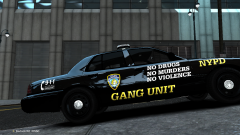 very nice!!
 -
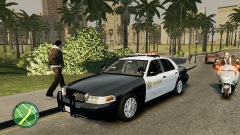 Very nice!!!
 -
-
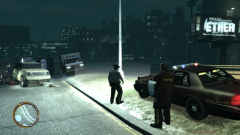
From the album: Training of a rookie...
Arrival at a vehicle rollover on freeway with one subject that was ejected from the vehicle and died at the scene. -
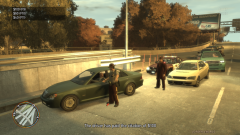
From the album: Training of a rookie...
Training the rookie about speeders and what to do if they push it... -
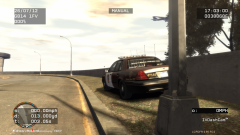
From the album: Training of a rookie...
Everything going very slow... -
-
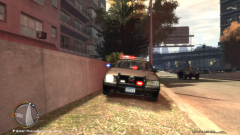
From the album: NEW SQUAD AND PARTNER
-
-
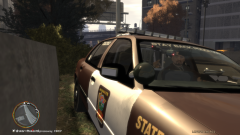
From the album: NEW SQUAD AND PARTNER
-
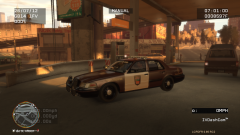
From the album: NEW SQUAD AND PARTNER
I was looking at the Minnesota State Patrol site and found out they have K9 units! Since I love dogs, what can be better... However I haven't done the K9 mod yet cuz I'm not to sure how to do it yet. But it will happen someday and there is a dog back there. I laugh when I transport someone they get in with the dog! Good luck with that!



