vitaminzeth
Members
-
Joined
-
Last visited
Everything posted by vitaminzeth
-
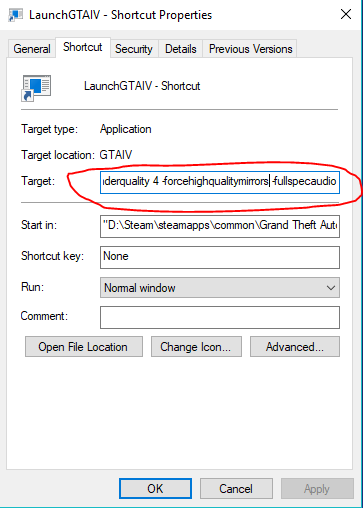
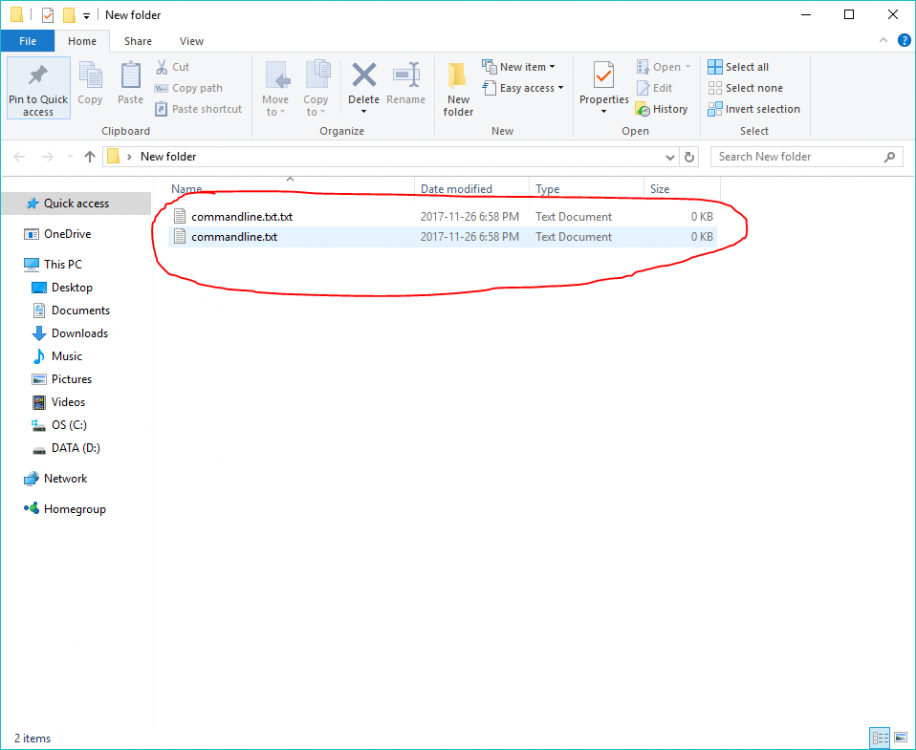
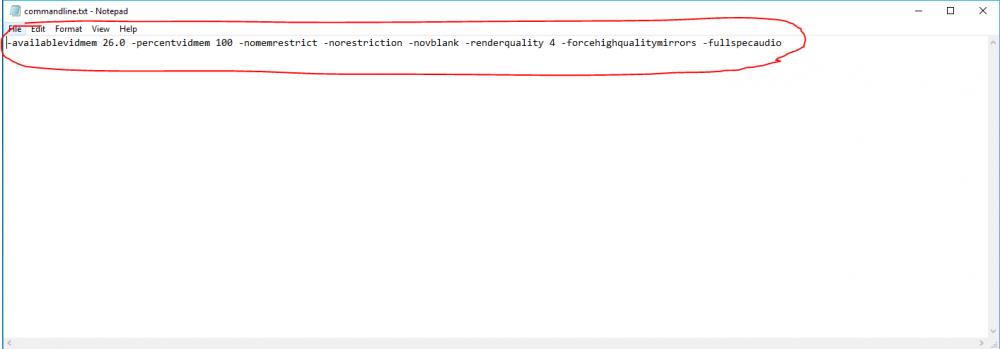
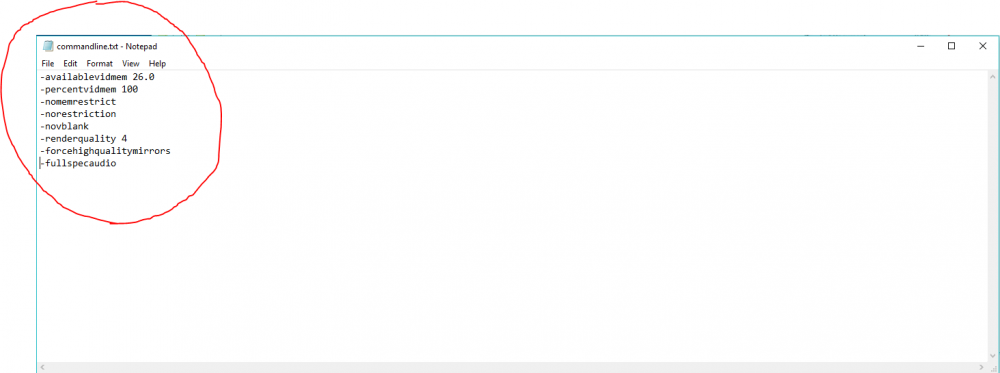
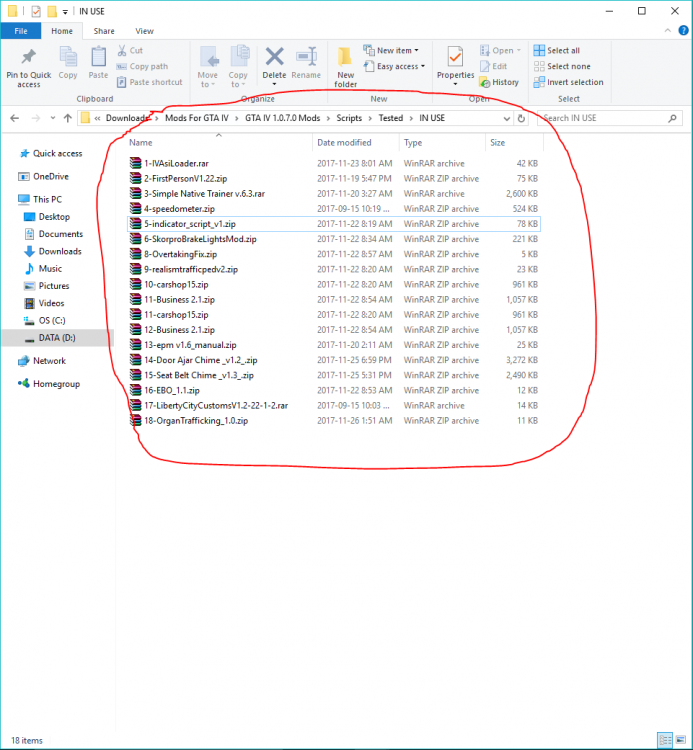
Hello, I've played through this game from begging to end and now want to mod it. I have gotten good at setting up vehicle.dat's, Handling lines, simple scripts and what not - but I can never seem to fix the bigger problems when they arise. Some of these problems are as follows: 1. GTA IV not reading my memory right: My Computer specs/ Other information: Nvidea 1050ti (4GB VRAM) (Not over clocked) 16 GB Of RAM Intel i7 7700 3.2GHz (Not over clocked either) Game version: 1.0.7.0 (Downgraded) ASI?: I use the dsound.dll one, not the xliveless. ScriptHook?: Yes I have that. OpenIV: Yes I use this. My attempts to solve #1? 1. tried making a commandline.txt, but was unsure if I formatted the text right (AND I KNOW ITS NOT "commandline.txt.txt") And either way through my tests, neither lines written in the text file like this: -command1 -command2 -command3... example: or like this: -command1 -command2 -command3 Example: my commandline.txt wont work! So I had to use a: 2. GTAIVLAUNCHER - Shortcut instead, and put the commands in the target area. This fixed my GTA IV Memory problem, but it didn't fix the textures not properly being applied or whatever. _________________________________________________________________________________________________________ One of my other problems is in terms of graphical enhancements. I've downloaded lord's retexture pack for the whole city, HD Traffic lights and Street signs - V 1.0 and to top it off DKT70's HD road textures. The problems I'm mainly having are the roads not fully loading, or being a mix of the new and old textures (Which look horrific) and after searching some of the forums from 2011-2015 I haven't found any fix. My other concerns have been with my car model replacer's. I have read that you shouldn't use more than ten car mods or else you will get the very horrendous "Taxi Bug Glitch", but after watching some videos of GTA IV with super HQ Cars, ENB's and retextures of the city, I digress (For Version 1.0.4.0) example: In terms of scripting mods: I cant get THESE DUMB TWO MODS to work when both are installed: 1. FuelScriptV2 2. indicator_script_v1 For some reason I can use 18+ Scripts with indicator script, and they all don't conflict... But I can now seen that Fuel Script is what has been causing Indicator Script to not work at all when they are being both used. List of script mods I've installed and tested (Ignore the extra CarShop mod, I only installed it once): Some of the script mod Links I could find right now If you want them for testing: Car Shop Mod // http://www.gtainside.com/en/gta4/mods/32149-car-shop-mod-ver1-5/ Indicator Mod // Skorpro Brake lights // http://www.gtainside.com/en/gta4/mods/55171-brake-lights-mod-v1-0/ Fuel Script V2 // http://www.gtainside.com/en/gta4/mods/47700-ultimate-fuel-script-v2/ Over taking fix // http://www.gtagarage.com/mods/show.php?id=24682 Business 2.1 // http://www.gtainside.com/en/gta4/mods/70549-business-2-1/ Engine Blow out 1.1 // http://www.gtainside.com/en/gta4/mods/45931-engine-blow-out-v1-1/ Organ Trafficking // http://www.gtagarage.com/mods/show.php?id=16611 Seatbelt chime: Open Door Chime: I want to use both of them (I'm going for a realism play through and stuff, getting as many options as I can) What could I do to resolve this issue/conflict? Is there a way to get two scripts to work at all? Like in this video?: _________________________________________________________________________________________________________ Finally: I don't know how to configure the enbseries configuration file to alter brightness, nighttime darkness, reflections, and stuff like that. I wanted help understanding how it all works so I can fine tune it myself. But how can I when I don't know what each value does? Or what the range does when greater or smaller? I also wanted to know (Like in the video above) How he made the indicator lights brighter. I really really would love to have all the answers to all my questions and problems, but I know and understand this is almost ten year old game, could've asked someplace else or tried harder to find it. But, what better place to ask than a community built upon immersion and loving a very not-well optimised, console port? I really hope I have provided enough information to get granted help or solutions (Whether community is dead or barely alive in 2017). I just literally made an account now, so don't hate if I did horrible asking this question(s) (Or got my information and stuff wrong). ENB? : _________________________________________________________________________________________________________ Also here is a list of cars used right now: 2011 Ford Crown Victoria Police LCPD 2.1 // 2013 McLaren P1 // http://www.gtainside.com/en/gta4/cars/80282-2013-mclaren-p1-epm-update1-2/ Ford Crown Victoria NewYorkCity_TAXI 99_V_1.1 // http://www.gtainside.com/en/gta4/cars/80313-2003-ford-crown-victoria-la-taxi/ Toyota Camry // http://www.gtainside.com/en/gta4/cars/40553-toyota-camry-2007-xv40-v1-0/