mhulcio576
Members
-
Joined
-
Last visited
Everything posted by mhulcio576
-
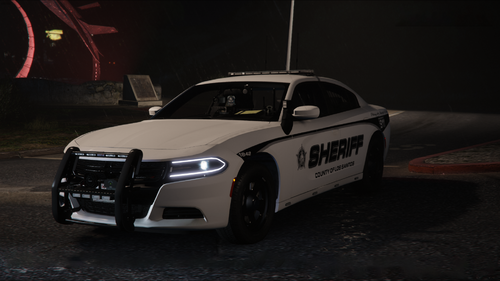 anyway of getting all blue files for these? I usually do all blue for sheriff vehicles.
- 90 comments
- 14 reviews
-
 i have this issue as well, and when you put it to normal it makes the lights dimmer. I cant figure out how to turn down the screen brightness hey how did you adjust the laptop screen brightness? im having that problem with the 2.1 version
- 337 comments
- 72 reviews
-
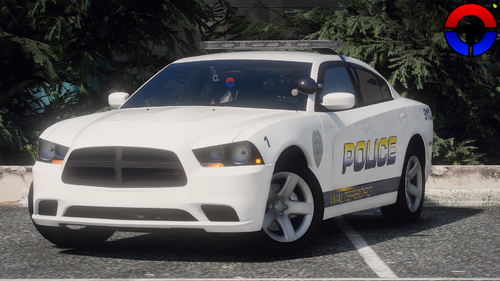 Awsome work. Any chance you could have all blue options for the other vehicles? And what about possibly making an option to have rambars as an extra?
- 14 comments
- 3 reviews
-
 aw i see that now, didnt see the link. Guess there not making enough off donations lol
- 2,349 comments
- 237 reviews
-
anyone know how exactly you get 9.0? i see the website but do you need a subscription?
- 2,349 comments
- 237 reviews
-
I seem to be having a similar problem but when I try and select a backup type, it doesn't even response or call anyone. As if I am pressing the wrong button or something.
-
-
 nice pack. any chance you could make the wrap around bar an extra?
 -
 There seems to be a mix up with Ripples Legacy Pack. The Slicktop files that have Whelen Dominator don't exist but instead its the "Light" ytd that's missing. Or known as the "blunotes" in other files ive replaced.
- 269 comments
- 17 reviews
-
-
 will this work with my plugins already installed or do I have to have this installed first?
- 336 comments
- 17 reviews
-
 can someone tell me where I can find what is what in the character outfit presets? I don't know what components are what in the ini file and im trying to figure out how to give the AI's guns on there hips or drop leg holsters in accessories. thanks
- 263 comments
- 21 reviews
-
I downloaded the ds4 and it crashes my game in the loading screen
-
go to your settings when rage is loading and go to command lines. check the box that says "force windowed mode". I had the same problem and I did this and it fixed it is anyone else still having problems with the DPad controls?
-
any leads on why the dpad might not work for ped interaction? as well as right thumb for backup options?
-
don't know if that update was suppose to help fix the dpad issue but im still having that issue
-
everything works with the keyboard. so I just tried it again and noticed that the dpad controls work with my vehicle(opening the door and telling the arrested suspect to get it) put when it comes to interacting with a ped I don't get a response from the dpad controller. when I hold any of the arrows it brings my cellphone up. my right thumb is also non responsive for the back up menu it just looks behind
-
im still having the problem with my dpad controls not responding on my controller. I cant stop anyone or make an arrest with the controller. 👎
-
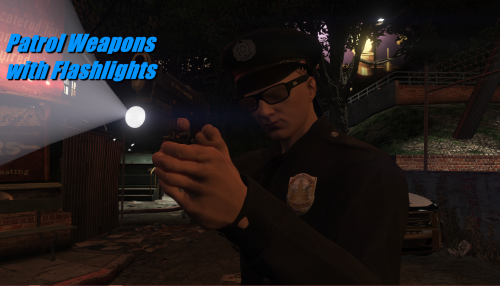 don't know if im doing something wrong but does anyone know how you can hold the flashlight up to your shoulder like it the previews of 0.4?
- 26 comments
- 4 reviews
-
I have the same issue. ive been using a PS4 controller and it has worked no problem with all the other previous lspdfr versions. I noticed that the directional buttons especially left and right aren't responding to my commands. Sometimes even the E button doesn't do anything. I don't know whats going on with that.
-
-
-
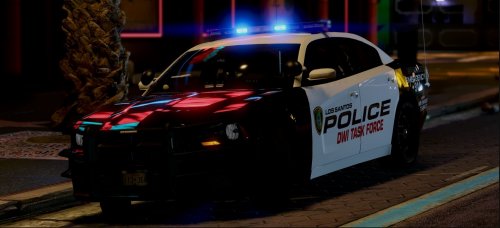 love all your vehicles, could you possibly make an unmarked pack that would complete my collection for my fbi slots
- 10 comments
- 5 reviews
-
 thanks it worked jb431. Its only working for the headlights. I remember the taillights working as well but they turn off when im in stage 3 still. Is there anything in the els ini that can turn them on?
- 2,697 comments
- 239 reviews
-
I was wondering what the WW meant on the control board. When i go to stage three for my lights the back lights turn off and the WW box lights up. Does this mean wig wag's? I looked up the controls to see if turning it off would work but couldnt find the symbol for it. Does anyone know what toggles this feature on and off? I was wondering what the WW meant on the control board. When i go to stage three for my lights the back lights turn off and the WW box lights up. Does this mean wig wag's? I looked up the controls to see if turning it off would work but couldnt find the symbol for it. Does anyone know what toggles this feature on and off?
- 2,697 comments
- 239 reviews