Unkn0wn
Members
-
Joined
-
Last visited
Everything posted by Unkn0wn
-
-
-
-
I got an Intel P55.
-
Probably yes, I got an i5 750 2,8 ghz 6gb ram HD6850 (build to beat the GTX460, not the OC one I think) I'm not known with motherboards, so you need to ask other people. And I'm playing with 40/50 fps
-
Nvidia prices: FX5600 $2,999 FX 4600: $1,999
-
I bought an AMD Radeon HD 6850, for me It's fine (I also have 500 watts). If you really want a badass graphics card, I should go for the HD 6950/6970 But If you more like Nvidia, I should go for the GTX 560/570/580. Check them on the Nvidia website for the system requirements. Check it out. http://www.videocard...h_end_gpus.html Good luck
-
Im playing BF3 on high. I got 40/50 fps
-
Pretty good I think When I put medium to high, I have 30-40 fps :)
-
But I want everything on high / veryhigh I don't have the graphics card yet, I get it tomorrow. But I was interessed If I can play on high/vhigh
-
Hello guys I bought today a new video card but I get it tomorrow delivered. I want to know if this videocard is very good http://www.sapphiretech.com/presentation/product/?leg=&psn=0001&pid=497&lid=1# ATI Radeon HD 6850 My current gaming rig (from xfire): Gaming Rig Manufacturer: ACER Aspire M5810 Processor: Intel® Core i5 CPU 750 @ 2.67GHz (4 CPUs), ~2.7GHz Memory: 6144MB RAM Hard Drive: 1 TB + Extern HD 500 GB Video Card: NVIDIA GeForce GT 220 TurboCache | 1024 MB Up to 3720 MB Monitor: 23' INCH ACER SCREEN | WIDESCREEN | FULL HD 1080P | HDMI Sound Card: 7.1 HD Audio Speakers/Headphones: Sennheiser headset Keyboard: Logitech G110 Mouse: Logitech MX 518 Mouse Surface: Logitech MX 518 Operating System: Windows 7 Home Premium 64-bit (6.1, Build 7600) (7600.win7_rtm.090713-1255) Motherboard: LGA1156 Socket | Intel P55 Express Computer Case: Acer minitower Is this good enough to run GTA IV / EFLC on very high?
-
Sometimes steam has an pay bug You can't buy anything But in less then 24 hours it's solved (For me atleast) Or you can contact steam support :)
-
It's almost the same as Windows 7, at least the video's on youtube (Also developer build)
-
500$ No I'm kidding I'm gonna release it: ONLY SOURCE CODE OF THE LCPDFR HELPER NOT THE DOWNLOAD DLL What's not included: Ini file reader Updater It started with an GTA Launcher so the name is GTA Launcher Download
-
It's just over. I don't wanna develop new version's If people like, I can release the source of 0.1.0.0.2
-
LCPDFR HELPER PROJECT CLOSED REASON: Can't use the downloader anymore because: LCPDFR don't want everyone to upload the installer.
-
Just turn on HD, the image is much and much better
-
Please close this topic
-
Yea, annoying noise background I make a new soon
-
It's not yet approved I will at the Diagnostic tool in the next version :)
-
Hello guys My first video with audio commentary I need to upload part 2 and 3 also but it is 300+ MB Part 1: http://www.youtube.com/watch?v=YbNMk93B7c8 Part 2 and 3 coming soon Small edit with Vegas Pro 9
-
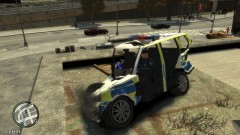
From the album: Some car's from 2 years ago
LOL, the sound is even crappy :) -
Without ELS (Didn't know I needed that for the cars, I wasn't good know with modding, only trainer and vehicles)
-
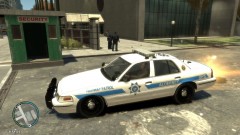
From the album: Some car's from 2 years ago
When EFLC wasn't released :D -