Skip to content
View in the app

A better way to browse. Learn more.

LCPDFR.com

A full-screen app on your home screen with push notifications, badges and more.

To install this app on iOS and iPadOS
  1. Tap the Share icon in Safari
  2. Scroll the menu and tap Add to Home Screen.
  3. Tap Add in the top-right corner.
To install this app on Android
  1. Tap the 3-dot menu (⋮) in the top-right corner of the browser.
  2. Tap Add to Home screen or Install app.
  3. Confirm by tapping Install.

Officer Eagle

Members
  • Joined

  • Last visited

Files posted by Officer Eagle

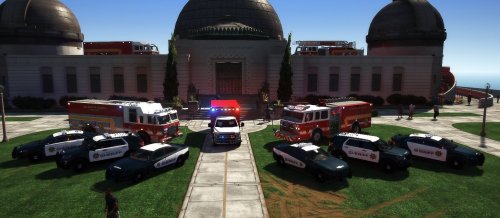
  1. Vehicle pack used for screenshotThought i would share some skins i made for my FiveM community, its my first post and I'm sorry i didn't have any good screenshots but here it is. I thought i would past this in light of what has been happening in the community as I will always support this website, even though this is the first thing I have developed for the site, i may release some more stuff as i have a ton of textures piled up in a folder that i no longer use. Happy Roleplaying everyone, whether it be in LSPDFR or on FiveM
     
    the fire vehicles aren't mine and arent apart of the pack, if you are interested in using those its medic's Fire and EMS pack 
     
     
    http://www.gta-mod-center.com/forum/index.php?/files/file/839-lspd-mega-pack/
    vehicles used for the texture pack
    • 37 Downloads
    • 4 Comments
    Submitted

Account

Navigation

Search

Search

Configure browser push notifications

Chrome (Android)
  1. Tap the lock icon next to the address bar.
  2. Tap Permissions → Notifications.
  3. Adjust your preference.
Chrome (Desktop)
  1. Click the padlock icon in the address bar.
  2. Select Site settings.
  3. Find Notifications and adjust your preference.