
ConwayDev
Members
-
Joined
-
Last visited
Everything posted by ConwayDev
-
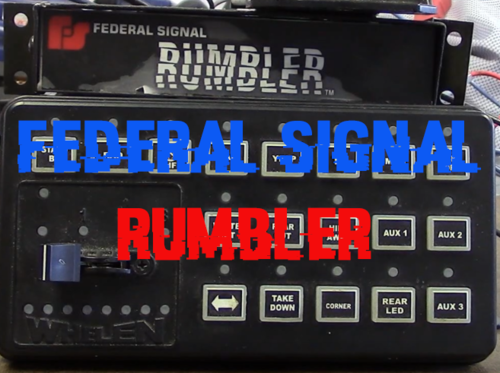 I've been looking for this forever (a good one at least) and finally have found it!! Thank you for this, love it with everything I have lol
- 21 comments
- 2 reviews
-
Hey there! - So, myself and @opus49 have been troubleshooting the "GrammarPolice" plugin via Discord, as I have been having issues with it crashing when it is trying to play scanner media.. And after a whole days worth of troubleshooting, we have found that anytime a script tries to call "PlayScannerAudio", my game crashes. We had found this out because @opus49 had removed his call to "PlayScannerAudio" and it had worked perfectly fine, but as soon as a different script made a call to it, my game had crashed. Here you can find the log(s) in which this had happened: RagePluginHook.logmessage (1).txt And here are some of the things that we have tried: Re-installing LSPDFR & GrammarPolice Going back to a previous version of GrammarPolice Using different .dll files to show better logging to diagnose the issue Playing LSPDFR without using GrammarPolice (until later, for testing) Using different phrases in GrammarPolice for testing A lot of other things lol If there is a fix to this issue, please, let us know down below! It would be greatly appreciated! Thanks y'all! (and huge shout-out to you @opus49.. You've been amazing with the support!!!)
-
 Thank you! Glad you enjoy it 😁
 -
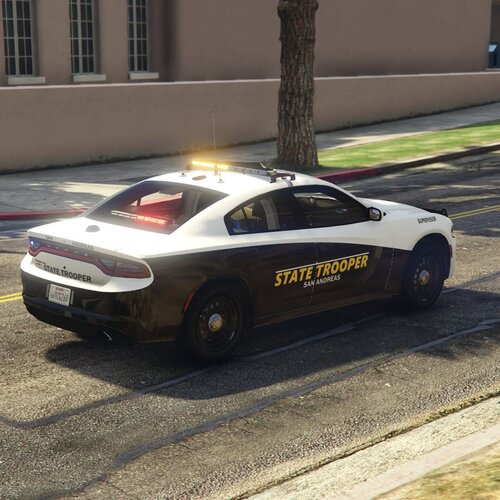
This is my first release, please don't kill me This is a 2018 Dodge Charger AWD with Red & Blue light with optional Blue & Blue lighting. EXTRAS LIST: Extra 1 - Lightbar Extra 2 - Visor Bars Extra 3 - Dash Light Extra 4 - Push bar Extra 5 - Wrap-around push bar Extra 6 - Pushbar Lights Extra 7 - Rear Deck Light Extra 8 - License plate lights Extra 9 - Antennas Extra 10 - Dome antenna Extra 11 - ALPR's Extra 12 - Seat organizers FEATURES: - Working environmental lighting - All lights are extras - R&B and B&B lighting options - Paid assets - High f-ing quality - MUCH MORE Join the Discord!!!
-
 I uhhhhhh.... No comment