


ItsBoppo
Members
-
Joined
-
Last visited
Everything posted by ItsBoppo
-
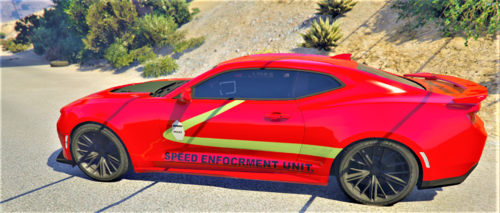 ENFOCRMENT
 -
-
I tried that but the same thing happened. Here are the screenshots of my files and my log RagePluginHook.log
.thumb.png.68693b2069eaac7714aaca50b2df884c.png)
.thumb.png.9648063095437ef6350f9220f7f79251.png)
.thumb.png.62886d93b7c5bdeb4b7827f1bf1c9462.png)
.thumb.png.931254055f1f58ebbd3facc83e7ade06.png)
.thumb.png.7aba5ede87f94e2d5ec1f5ee23947d53.png)
.thumb.png.10d11034835641cda2f22ca2ea3e2aa0.png)
-
While there are a couple fixes for this out there, i seem to be having a unique problem that i havent seen on here before. So when i start the game it starts up just fine, but as soon as i go to a station to go on duty, it loads in under the world map and upon pressing the "go on duty" option lspdfr crashes and i get stuck on the screen under the world map. At first i thought there was a plugin conflicting but as soon as i removed all the plugins the problem persists. I've only been able to start and play lspdfr once before and i haven't been able to load it up successfully since. Has anyone else had an issue like this or does anyone have an idea of what i could be the problem? Thanks!


.png.e28d95bcba747cc5e8f35d97c4e2ad39.png)
.png.c6d2d70afd06fa5a5952a1f3b604cf8f.png)
.png.e542d5edfe515112e5d6d59d29e68b57.png)
.png.f6dbd3882b518cf1fb9cf526e25820f9.png)
.png.37f74f12899be9397a3a1602848aeea9.png)
.png.cd128462f71558da657b88e52f02227d.png)