


LB2234
Members
-
Joined
-
Last visited
Everything posted by LB2234
-
Hello. This topic is an update to my previous post. Basically, after testing, I found the issue was not just that pack, it was the visual mods themselves don't seem to work. I've been modding GTA 5 for over a year now, and everything has worked smoothly in the past. I also have done visual mod installs plenty of times, but this issue is truly flustering me. I recently purchased a new PC, thus prompting me to reinstall GTA 5 and the mods. My PC is running on the Windows 10 Creators Update, which initially created problems with LSPDFR and I was able to get it working by disabling Game DVR. When I get in the game, all the default graphics and ugly lights are still there after I installed everything correctly. My visual mods I am running are as follows: Visual V (as a base for natural vision enhanced) Natural Vision Enhanced + Brighter Lights extension
-
Sorry about that. EDIT: All visual mods don't seem to be working on my install what so ever.
-
 I came across the issue with your pack only from testing. I am going to do some more testing in a minute.
- 207 comments
- 94 reviews
-
-
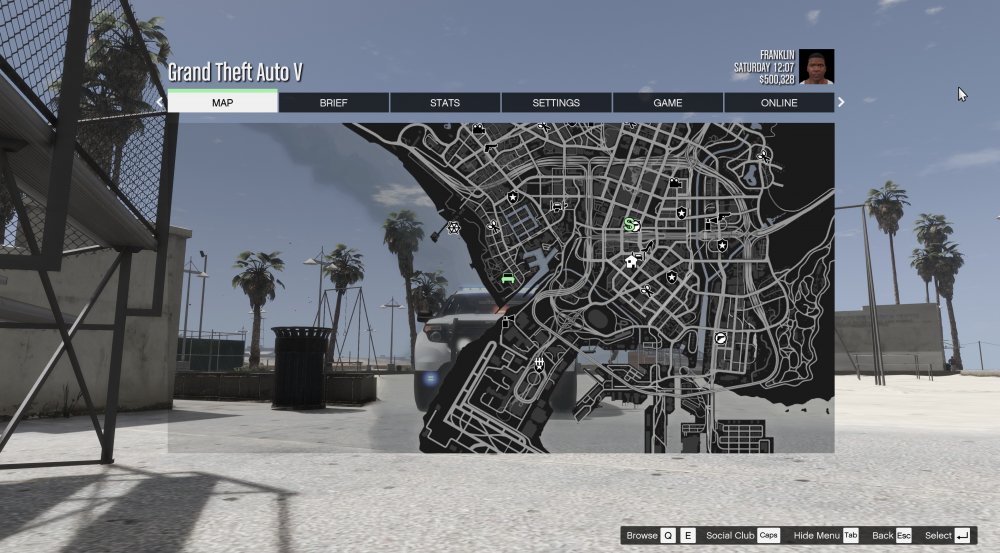
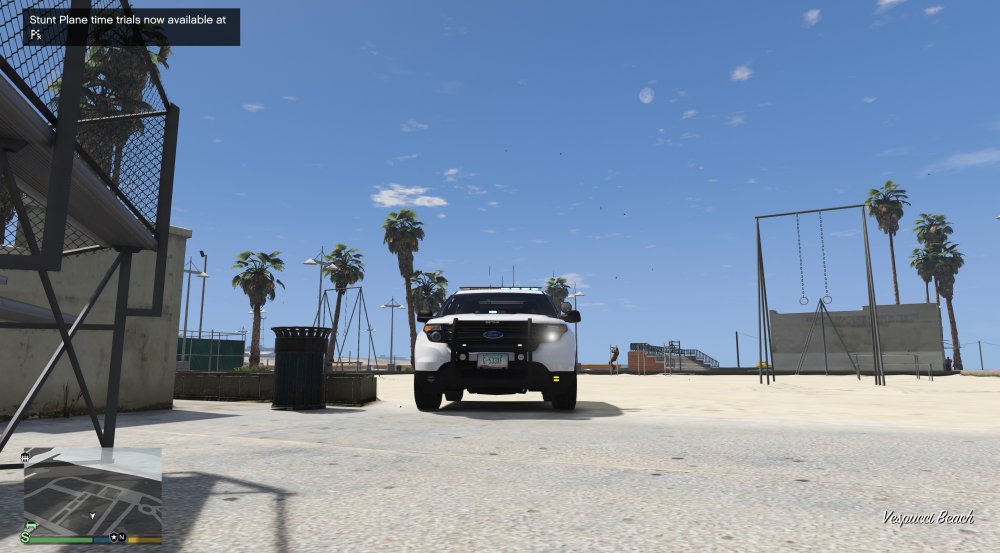
Hello. I have been using the newest SAHP Arizona based pack and the lights will be a dull, non-radiant color consisting of orange and a sky blue for the lights. The only time it is different is when I go into the pause menu... it's clearly perfect in the pause menu. If you didn't see the title, radiance v is installed.
-
I am using visual v and radiance v together. Lights emit a sky blue color and orange with no bloom or anything. However, when I go into the pause menu, it works just as it should as far as the lights look. This needs a fix.
- 207 comments
- 94 reviews
-
I am using visual v and radience v together. Lights emit a sky blue color and orange with no bloom or anything. However, when i go into the pause menu, it works just as it should as far as the lights look. This needs a fix.
- 207 comments
- 94 reviews

