RevRevGaming
Members
-
Joined
-
Last visited
Files posted by RevRevGaming
-
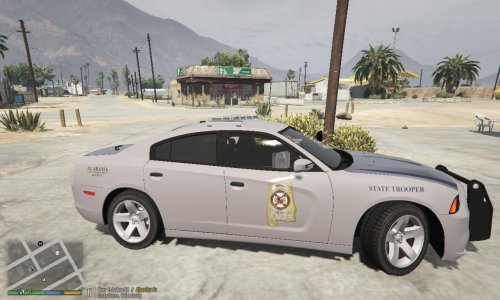
=====ALEA Skins=====
2011 CVPI = Murphy
2013 Charger = Codex12
2013 Ford F-350 = TheHurk
2013 FPIS = Captain14
2013 FPIU = TheHurk
2013 Tahoe = OfficerUnderwood
2013 Harley Elec. = TheHurk
2014 Charger = Bxbugs123
2014 Impala = Bxbugs123
2014 FPIU = Desmond98
2015 Tahoe = Captain14
2015 FPIS = IronicRainbow
2016 FPIU = TheHurk
2016 FPIU = Black Jesus
Chevy Silverado 1500 = Black Jesus
Corvette C7R = BizzleZX10R
- 204 Downloads
Submitted -
==========Tempesta Police Model==========================
Base mdoel by Rockstar Games
Edited into police model by RevRevGaming
Generic Rambar by CYNAX and edited by Black Jesus
Lightbar by Rockstar Games
If Installed properly vehicle should have all default tuning parts available to use
==========Installation Instructions==========================
**Vehicle Model Install**
Grand Theft Auto V\mods\update\x64\dlcpacks\patchday16ng\dlc.rpf\x64\levels\gta5\vehicles.rpf
-Place the yft and ytd files here
**Vehicles Meta Install**
Grand Theft Auto V\mods\update\update.rpf\common\data\levels\gta5
-Replace Vehicles Meta here
-Or just replace line in your own meta with the one provided
**Carvariations Meta Install**
Grand Theft Auto V\mods\update\x64\dlcpacks\mpimportexport\dlc.rpf\common\data
-Replace Carvariations Meta here
-Or just replace line in your own meta with the one provided
**IF REPLACING OTHER SLOT**
-Rename the model names to name of desired model
--police4.yft
--police4_hi.yft
--police4.ytd
-Rename these POLICE4s to the name of the desired model in the vehicles.meta
-----> <modelName>police4</modelName>
-----> <txdName>police4</txdName>
<handlingId>TEMPESTA</handlingId>
-----> <gameName>POLICE4</gameName>
-Rename POLICE4 to the name of the desired model in the carvariations.meta
<Item>
-----> <modelName>POLICE4</modelName>
<colors>
- 662 Downloads
Submitted