




Gunfire
Members
-
Joined
-
Last visited
Everything posted by Gunfire
-
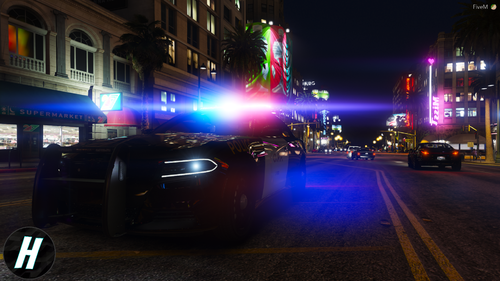 Stunning lighting setup. Is it possible to maybe incorporate daytime running lights in a future update? Otherwise, beautiful!
- 3 comments
- 2 reviews
-
Did you end up getting it fixed?
-
If you do find out what went wrong please reply to this thread and let me know as for the future!
-
I'm not sure of where to find them. I know once LSPDFR is updated the don't offer older versions on this website, which kind of sucks for this very reason.
-
It seems a lot of people are having the same issue as you. Have you used previous LSPDFR versions and have they worked just fine? Make sure you disable all anti-virus and even firewall if necessary, while playing LSPDFR. Also are you using any scripts? If so try launching without scripts folder, try re-installing LSPDFR manual install, then Rage as well as the updated ScriptHookV & ScriptHookVDotDet. If none of these suggestions do not work then I would have to point you to the support section: https://www.lcpdfr.com/forums/forum/920-lspdfr-04-support/ as it has many people with the same issue as you. Sorry I wasn't able to help! Wish you the best of luck.
-
What plugins are you using?
-
In your rage plugin hook settings, under the "General" tab you should see " Plugin timeout threshold" with a default value of 10000, try increasing your Plugin timeout threshold to 30000.
-
This is pretty strange and haven't heard of the problem before. My question about time is because sometimes, different times (Ex. 12pm) and weather settings in game (Ex. Clear) can begin to make the lights dimmer than other times/weather conditions. Try locking your time to Afternoon 18 and freeze weather to clear, play the game for a while and see if eventually, the lights get dim. If not, that's your answer. Also try turning your PostFX in your in game settings to "High" should give you some more brightness to your lights.
-
I see in the RagePluginHook settings you checked -disableCustomLoadingScreen You also need to check off -enableCounterMeasuresAgainstOnlineVehicleRemoval Let me know if this works.
-
What time in game do they begin to go dim? Can you post some different screenshots at different times?
-
You added the AdvancedHookV.dll to your GTA V directory as well, right?
-
Did you add lines to your dlclist.xml?
-
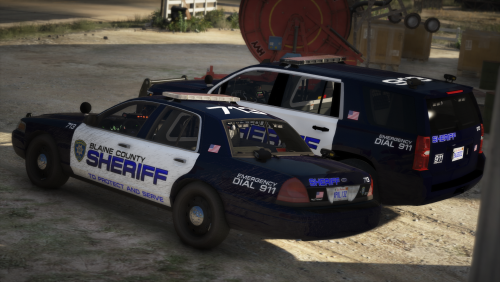 Thanks for the fast response! It was my fault. They were in the Patrol_Marine.rar, which I didn't download.
- 39 comments
- 3 reviews
-
I don't think these cars are included in the download... maybe a mistake? I see 2 downloads for SRU I don't know if maybe you forgot to add in these cars to the download or maybe I'm making a mistake? Please respond.
- 39 comments
- 3 reviews
-
 Thanks for posting a new plugin, it seems not many people are posting many recently… however, I seem to notice a pattern where people release new plugins but will have a lot of the same calls. Would be nice to see some original callouts. None the less I appreciate the effort.
- 200 comments
- 27 reviews
-
You can go to plugins/scripts section and filter plugins with the API you’re using. If you’re using the newest LSPDFR I wouldn’t suggest using any plugins with the 0.3 api.
-
That damn avast has some strong security 😆
-
Ok so that narrows it down to rph or LSPDFR. I’d suggest manually re-installing LSPDFR. (Simple drag and drop) then re install new rage plugin hook. then all dependencies like ScriptHook v, ScriptHook v dot net, etc. also make sure you disable plugins load on startup. Force windowed mode on startup. increase plugin time threshold to 30000 Try and launch
-
If you run the game without rage plugin hook does it load?
-
Turn off plugins load on startup once in game load LSPDFR - then go to police station and make a character first before forcing duty
-
In your settings in rph do you have plugins to load on startup?
-
Reply with your rph.log
-
Open the RAGEPluginHook settings menu (hold down SHIFT immediately after clicking RPH) Increase 'Plugin timeout threshold' to a higher value (e.g. 30000) Save and Launch


