Skip to content
View in the app

A better way to browse. Learn more.

LCPDFR.com

A full-screen app on your home screen with push notifications, badges and more.

To install this app on iOS and iPadOS
  1. Tap the Share icon in Safari
  2. Scroll the menu and tap Add to Home Screen.
  3. Tap Add in the top-right corner.
To install this app on Android
  1. Tap the 3-dot menu (⋮) in the top-right corner of the browser.
  2. Tap Add to Home screen or Install app.
  3. Confirm by tapping Install.

jto3454

Members
  • Joined

  • Last visited

Everything posted by jto3454

  1. jto3454 replied to jto3454's topic in Legacy
    ok I found the problem I had to go to patchday 2
  2. jto3454 replied to jto3454's topic in Legacy
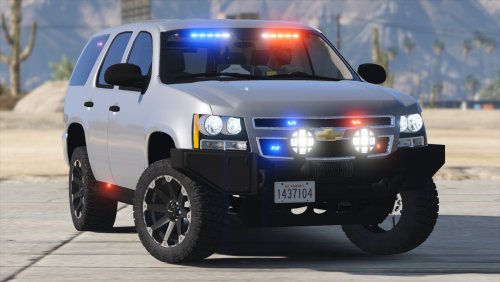
    I have a unmarked charger and unmarked Tahoe I'm trying to install black Jesus's offroad suburban but when I put it in it shows it under ytf and ytd but in game it spawns the granger can I get help
  3. jto3454 replied to jto3454's topic in Legacy
    I replaced fbi but fbi2 is now default granger I have mods there but they don't show for fbi2 its just default
    can I get elp I love this mod but my two fib slots when I turn on the lights the ram bars flashes on and off what can I do
  4. jto3454 posted a topic in Legacy
    my fbi and fbi2 cars always flash the rambar when u turn the lights how can I fix this and are there any packs you suggest
  5. where are fbi 2 carvariations located I also need police and police 3 location
  6. ok thanks but I have a couple questions how can I download the els system and cars correctly and do you know any good weapon mods you know work
  7. do u mind looking at my carvariations.meta to see if it looks right
  8. how do I get to mp Christmas and add one does it matter where I add it as long as its after another item
  9. how do I?
  10. does anyone know the fbi carvariation location
Account

Navigation

Search

Search

Configure browser push notifications

Chrome (Android)
  1. Tap the lock icon next to the address bar.
  2. Tap Permissions → Notifications.
  3. Adjust your preference.
Chrome (Desktop)
  1. Click the padlock icon in the address bar.
  2. Select Site settings.
  3. Find Notifications and adjust your preference.