


Sampson
Members
-
Joined
-
Last visited
Everything posted by Sampson
-
The back weapon keep crashing, after play couple minutes the LSPDFR crashed. Please let me know what I need to do, thank you. RagePluginHook.log
-
Thank you for your help.
-
Please let me know what I need to change, thanks. RagePluginHook.log
-
Thank you for your reply.
-
My game keep crashing when I try to open.It keep show: WARNING! Plugin "LSPD First Response" was terminated because it caused the game to freeze (Freeze was caused by game fiber: Plugin "LSPD First Response" main fiber). Please help me, thank you. RagePluginHook.log
-
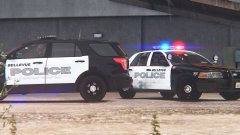 Can I have those skins? I live in Bellevue. lol

