




TeamNorwayOfficial
Members
-
Joined
-
Last visited
Everything posted by TeamNorwayOfficial
-
 --Information-- This is my second plugin so expect some mistakes here and there This is a callout pack for LSPDFR that adds some faster cars to the mix. Current cars include: Autarch Banshee Bullet Cheetah Infernus Jester Lynx Neon Sultan Tampa --Instalation-- 1: Open the "Grand Theft Auto" folder 2: Drag "Plugins" into your Game directory --Requirements-- LSPDFR (Duhh) Rage Plugin Hook --Control's-- None -TeamNorwayOfficial
 -
 Yes i used that video, first of all its my first plugin and everyone has to start somewhere, secondly im not the only one that has used it
 -
Looking forward to it :) hope it is as cool at is seems
-
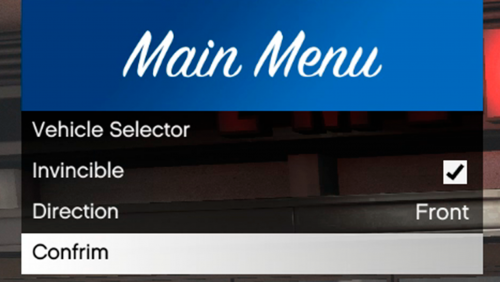
--Information-- Thanks for using my simple car spawner :) This is my first plugin so expect some mistakes here and there More cars coming soon (Currently only POLICE, POLICE2, POLICE3 and POLICE4 My first language isn't English so there may be some spelling errors so feel free to leave them in the comment section and i will try my best to fix all of them :) --Requirements-- RageNativeUI (Included) Rage Plugin Hook --Control's-- Currently there is no INI file (Will try to add soon) to open the menu hit F7 -TeamNorwayOfficial
-
-
 I have installed this but when i do "LoadPlugin EUP..." in the console thing it says i need the law in order and yes ive tried re-installing it please help
- 2,341 comments
- 236 reviews


