Skip to content
View in the app

A better way to browse. Learn more.

LCPDFR.com

A full-screen app on your home screen with push notifications, badges and more.

To install this app on iOS and iPadOS
  1. Tap the Share icon in Safari
  2. Scroll the menu and tap Add to Home Screen.
  3. Tap Add in the top-right corner.
To install this app on Android
  1. Tap the 3-dot menu (⋮) in the top-right corner of the browser.
  2. Tap Add to Home screen or Install app.
  3. Confirm by tapping Install.
Due to overzealous filtering on Microsoft’s side, some emails to Outlook and Hotmail addresses may not be delivered. If you’re affected, please use a different email address or try again later.

Jrsap

Members
  • Joined

  • Last visited

  1. Images added to a gallery album owned by Jrsap in GTA V Galleries
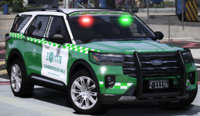
    Nuevo y tan esperado Ford Explorer Active 4WD para Carabineros De Chile Pronto a la venta.
  2. Alguien podría ayudarme? desde que he instalado el mod no funciona de ninguna manera, he intentado todo tambien tengo todo actualizado
  3. Hola autor de este mod, estoy teniendo un problema para iniciar este script, he intentado de todo pero simplemente no funciona, ya tengo actualizado RAGENativeUI a la ultima versión, espero que alguien me pueda ayudar.
    No me funciona, simplemente el script no carga con el F4 ni otro método y hace que LSPDFR crash
  4. una pregunta, en el video 2 sale con verde y rojas y cuando lo instale solo tiene rojas en codigo3, lo cambiaste o es asi? porque es mas bacan cuando en codigo 3 se prenden las verdes y rojas
    Super, aunque el reflejo del foco delantero derecho no se refleja pero quedo filete
  5. How can I use the light bars? I mean those sticks that rise
  6. Images added to a gallery album owned by Jrsap in GTA V Galleries
    Ford Transit Carabineros de Chile en su dimensión L3H3 disponible a la venta en mi discord! https://discord.gg/AjrN5ct4mq

Account

Navigation

Search

Search

Configure browser push notifications

Chrome (Android)
  1. Tap the lock icon next to the address bar.
  2. Tap Permissions → Notifications.
  3. Adjust your preference.
Chrome (Desktop)
  1. Click the padlock icon in the address bar.
  2. Select Site settings.
  3. Find Notifications and adjust your preference.