




ZuluOne
Members
-
Joined
-
Last visited
Everything posted by ZuluOne
-
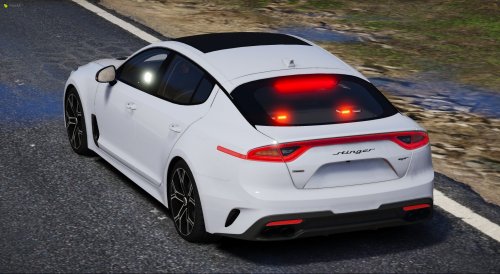 This vehicle is made for FiveM purposes, therfore it is Non-ELS. In FiveM, all vehicles have a base siren. You can change these by changing siresns in your game folder.
 -
Not sure exactly what you are asking, however I did not change any sirens for the vehicle. In order to change siren sounds, you need to install them into your own game.
-
Correct. It is to resemble a real life POV. Which if you are not familiar with, is a vehicle for volunteer firefighters.
-
They didn't come with the original vehicle. I didn't even think about adding them at the time.
-
Lookin great! I love the stealthyness of the black. Great work.
-
Wow! Lookin good.
-

From the album: FD Photography
-
An album where I showcase some vehicles from around the state of San Andreas. All vehicles showcased are not owned by me. I am asked by friends to take screenshots for them or their server.
-
-
-
-
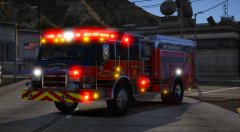
From the album: FD Photography
-
-
-
-
-
-
-
-
-
-
-
-
-




