Sabby468
Members
-
Joined
-
Last visited
Everything posted by Sabby468
-
Hello! Recently I tried installing a Liberty City rewind mode which included a OIV which I installed. This oiv must have messed up some of my files. I was able to fix most of the files but it looks like it broke something else. When I request a callout or one comes to me, I do not see the call description anymore. All my notifications in the GTA settings are on and I already reset my GTA graphics. I provided two images. I am not sure about the first one but the images are missing there. I think they are both related And yes I tried it in a police car, no luck. https://imgur.com/a/KDyvxRr
-
Helllo Sorry for the radio silence I had to move countries but I recently removed I think every thing you mentioned and now I still get a crash to desktop but after like 20 mins of playing RagePluginHook.log
-
Nope still crashes RagePluginHook.log
-
Hmm tried that and I still get random crashes: RagePluginHook.log
-
Here is an updated one as well: RagePluginHook.log
-
Ok I just removed it but it still crashes. Mainly when Im in a chase RagePluginHook.log
-
Ok I removed what I think wRagePluginHook.logas the culprit but know I have a new crash:
-
RagePluginHook.logHere is the new one
-
UPDATE: The game launches normally now. I had to update the update.rpf But it still crashes with the same error after 10 or so mins of playing
-
Could it be another plugin?
-
Ok I tried that Nope still says it on launch
-
Yeah I didRagePluginHook.log
-
Now I can't even load the game without the message showing. And I did what you said to do.
-
Sorry I just saw this. Rn i can't launch my game since the update cause script hook hasn't released an update for it
-
RagePluginHook.log
-
Sorry, but what exactly do you mean by that?
-
I just tried that and it did not seem to work. Still getting the error
-
After I launch LSPDFR and play for around 5 mins, it crashes and tells me an unexpected error came up. I already reset my game, which hasn't helped. If anyone could take a look at my Rageplugin crash log and see if the problem is in there, that would be really helpful. Thanks RagePluginHook.log
-
Yeah Ive had those on since before the error happened. Ive seen articles that it could be a car mod but those were from 6-10 years ago and in GTA IV.
-
This one here: Ambient.DisableEscapedSuspectEncounter = true ?
-
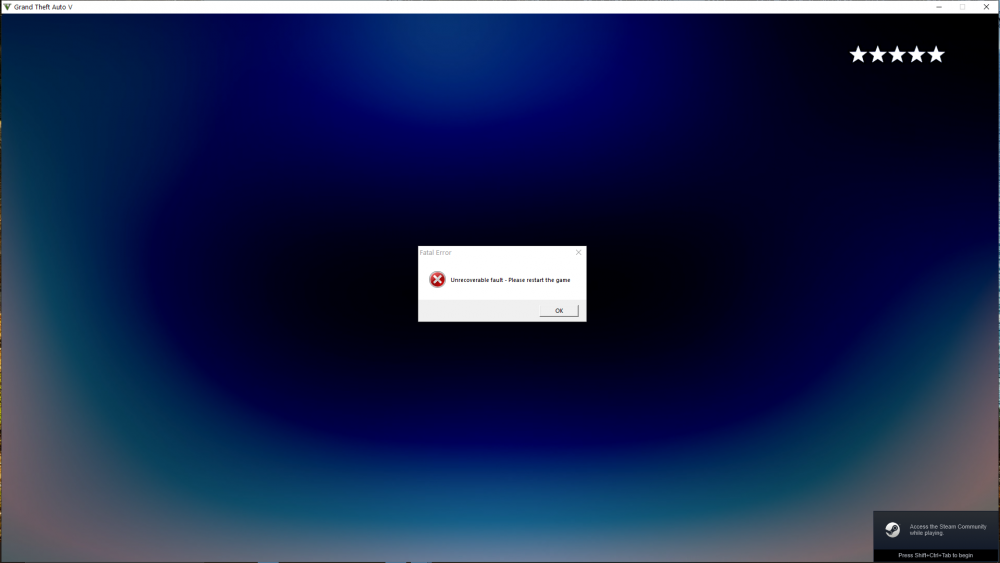
Hey everyone hope all is good After installing a lot of mods, I launched LSPDFR and played for around 5 mins when the game froze and showed this image: Also attached the log. Any ideas? -Seb RagePluginHook.log