




Prod
Members
-
Joined
-
Last visited
Everything posted by Prod
-
-
-
-
-
-
-
-
-
 Love love love the body cam plugin! All around a great plugin and really expands the realism into LSPDFR. The only one thing I kind of think would be cool to lower the seconds or minutes but I know the duration is realistic! All around a great mod and am happy this is out!
- 168 comments
- 36 reviews
-
-

- 1
-
-
-
This is the latest pack I am working on. I will most likely be rotating between LSPD and BCSO. I will occasionally be doing fire stuff too!
-
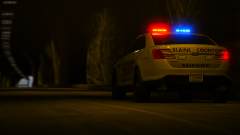 GTA5 2018-07-14 00-42-03-60.png
-
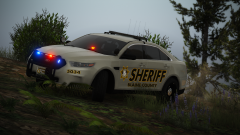 GTA5 2018-07-14 00-40-51-90.png
-
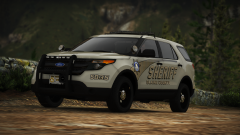 GTA5 2018-07-14 00-40-10-31.png
-
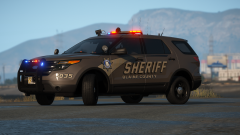 GTA5 2018-07-12 14-58-18-91.png
-
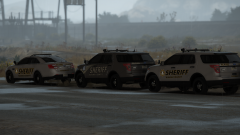 GTA5 2018-07-12 14-57-30-83.png
-
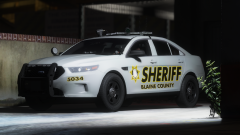 GTA5 2018-07-11 22-10-02-00.png
-
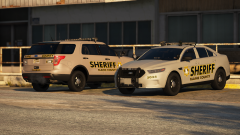 GTA5 2018-07-11 21-53-35-20.png
-
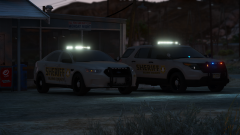 GTA5 2018-07-11 21-52-50-13.png
-
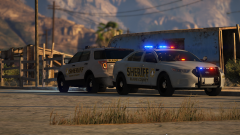 GTA5 2018-07-11 21-52-06-99.png
-
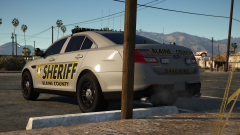 GTA5 2018-07-11 20-17-33-90.png
-
-
From the album: Racine County Sheriffs Office (BCSO Based Skins)
-
From the album: Racine County Sheriffs Office (BCSO Based Skins)
-
From the album: Racine County Sheriffs Office (BCSO Based Skins)
-
From the album: Racine County Sheriffs Office (BCSO Based Skins)
-
From the album: Racine County Sheriffs Office (BCSO Based Skins)
-
From the album: Racine County Sheriffs Office (BCSO Based Skins)
-
From the album: Racine County Sheriffs Office (BCSO Based Skins)
-
From the album: Racine County Sheriffs Office (BCSO Based Skins)
-
From the album: Racine County Sheriffs Office (BCSO Based Skins)
-
From the album: Racine County Sheriffs Office (BCSO Based Skins)
-
-
-
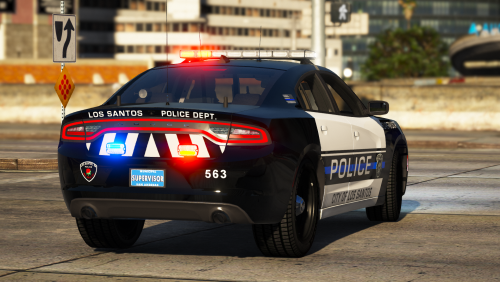 Are you talking about the HQ one with the mother of all lights? If so heck yea!
- 11 comments
- 1 review
-


