




LegionGL
Members
-
Joined
-
Last visited
Everything posted by LegionGL
-
 Hmmm. Shouldnt be. Delete the log n restart the game. It will create a new log
- 3,646 comments
- 306 reviews
-
I did. I removed all my vehicles just to be safe. Thanks
-
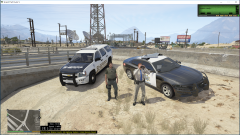 Rolled up on this Trooper all by his self so Decided to help out
 -
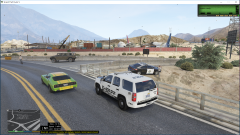 Rolled up on this Trooper all by his self so Decided to help out
 -
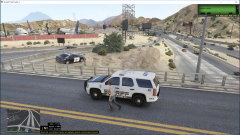 Rolled up on this Trooper all by his self so Decided to help out
 -
-
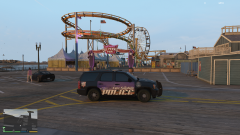 A new skin I started working on for GUMP's 2013 Tahoe. Still have to touch up a few things but I think it came out nicely. I hope to add this also to my FPIS, FPIU and Charger soon. Credit- Model: GUMP
 -
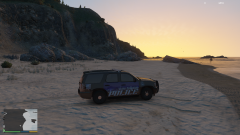 A new skin I started working on for GUMP's 2013 Tahoe. Still have to touch up a few things but I think it came out nicely. I hope to add this also to my FPIS, FPIU and Charger soon. Credit- Model: GUMP
 -
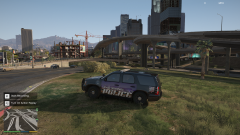 A new skin I started working on for GUMP's 2013 Tahoe. Still have to touch up a few things but I think it came out nicely. I hope to add this also to my FPIS, FPIU and Charger soon. Credit- Model: GUMP
 -
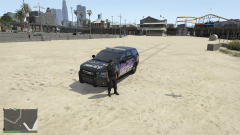 A new skin I started working on for GUMP's 2013 Tahoe. Still have to touch up a few things but I think it came out nicely. I hope to add this also to my FPIS, FPIU and Charger soon. Credit- Model: GUMP
 -
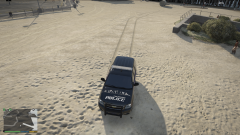 A new skin I started working on for GUMP's 2013 Tahoe. Still have to touch up a few things but I think it came out nicely. I hope to add this also to my FPIS, FPIU and Charger soon. Credit- Model: GUMP
 -
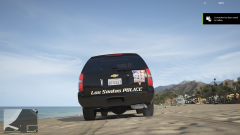 A new skin I started working on for GUMP's 2013 Tahoe. Still have to touch up a few things but I think it came out nicely. I hope to add this also to my FPIS, FPIU and Charger soon. Credit- Model: GUMP
 -
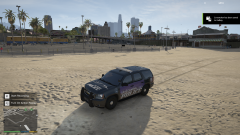 A new skin I started working on for GUMP's 2013 Tahoe. Still have to touch up a few things but I think it came out nicely. I hope to add this also to my FPIS, FPIU and Charger soon. Credit- Model: GUMP
 -
no. If you are using a non steam version, navigate to the Rockstar directory, then Grand Theft Auto V and then look for RageHookPlugin.Log this is the file to upload
- 3,646 comments
- 306 reviews
-
Captain In5ane- when u type your message here, click CHOOSE FILE from below and locate your log file and it uploads it for you
- 3,646 comments
- 306 reviews
-
-
when u type your message here, click CHOOSE FILE from below and locate your log file and it uploads it for you
- 3,646 comments
- 306 reviews
-
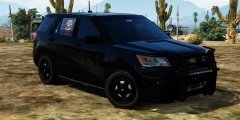 same here
 -
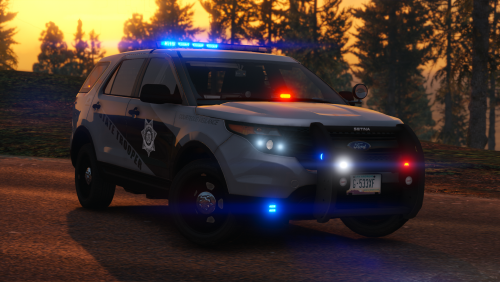 Are the templates for this pack available? Would love to create some skins for it. Thanks
- 207 comments
- 94 reviews
-
-

- 1
-
-
-
ok I will remove automatic roadblocks. This just happened a few minutes ago RagePluginHook.log
-
why are the files labeled wtf and wtd? I must be a dummy but i thought they were ytf and ytd
- 18 comments
- 6 reviews
-
-
- 1
-
-
I was only trying to upload 3 or 4. I created 2 albums the other day to reflect the 2 cars i had just finished and these have 8 or 10 in each. But it is still saying only 2.85mb left. Like it never updated itself from the other day
-
So I am creating a skin for a BCSO SRT Challenger. But on the rear license plate I can see a really bad pixilated texture from the original model. I have placed my high textured plate over it but I can still see the other a bit. How can I remove this as i can not find it in the vehicle texture files. i did find a mention in the meta file though. What would happen if I removed this from the meta: <plateType>VPT_FRONT_AND_BACK_PLATES</plateType> Thanks
-
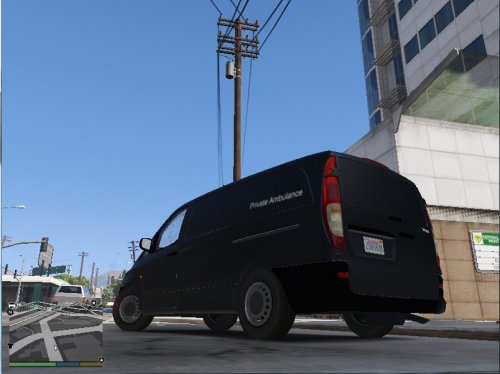 looks very nice. Does this have the template also?

