Skip to content
View in the app

A better way to browse. Learn more.

LCPDFR.com

A full-screen app on your home screen with push notifications, badges and more.

To install this app on iOS and iPadOS
  1. Tap the Share icon in Safari
  2. Scroll the menu and tap Add to Home Screen.
  3. Tap Add in the top-right corner.
To install this app on Android
  1. Tap the 3-dot menu (⋮) in the top-right corner of the browser.
  2. Tap Add to Home screen or Install app.
  3. Confirm by tapping Install.

N8TGK

Members
  • Joined

  • Last visited

Everything posted by N8TGK

  1. HI i have tried mroe browsers and still cannot make it work but i did fix the problem with mediafire. So i know it is the website because i can download anything else for anywhere. When i go to download it just loads and when it stops it wont download ever. WHen i click where it says Click Here it says this please help me with this i want to play the mod SOOO much
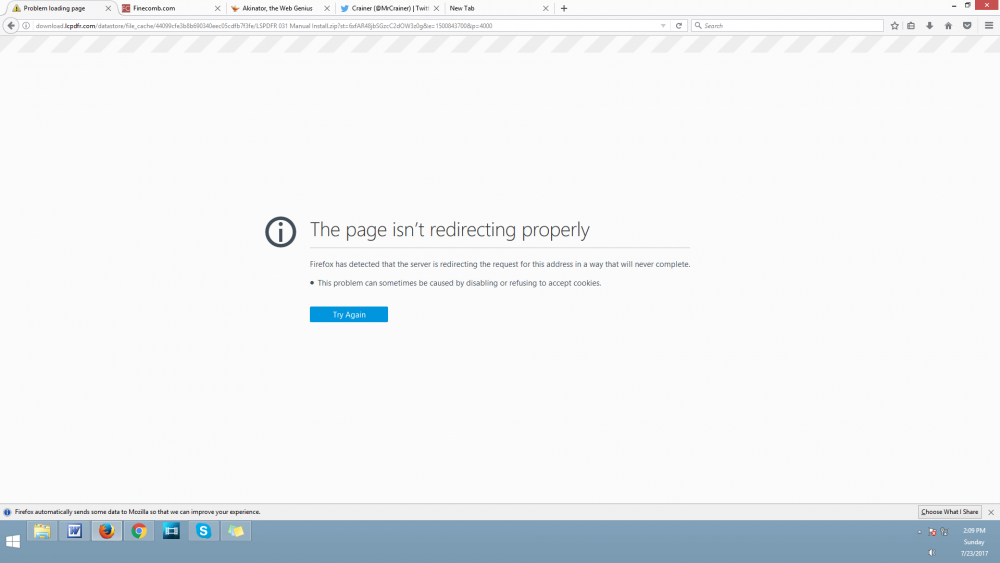
  2. and its not my computer its my internet because i cant download on 2 desktops 3 laptops and 1 cell phone so please help me be able to play this mod
  3. Dude i can sometimes use mediafire and it is on my end but i really want to download the mod so can u like post lspdfr and police smart radio for me on dropbox or mega and the required mods. THanks so much
  4. As the name suggests i cannot download any files from this website. What happens when i solve the recaptcha is it loads for a little bit then does nothing at all and when i do the thing that says click here that does not work either. Please provide me with a google drive, dropbox, mega, or some sort of alternate download link to LSPDFR and the smart [police radio (if someone on here could upload that for me you would make my day) *mediafire doesnt work for me either*

Account

Navigation

Search

Search

Configure browser push notifications

Chrome (Android)
  1. Tap the lock icon next to the address bar.
  2. Tap Permissions → Notifications.
  3. Adjust your preference.
Chrome (Desktop)
  1. Click the padlock icon in the address bar.
  2. Select Site settings.
  3. Find Notifications and adjust your preference.