Skip to content
View in the app

A better way to browse. Learn more.

LCPDFR.com

A full-screen app on your home screen with push notifications, badges and more.

To install this app on iOS and iPadOS
  1. Tap the Share icon in Safari
  2. Scroll the menu and tap Add to Home Screen.
  3. Tap Add in the top-right corner.
To install this app on Android
  1. Tap the 3-dot menu (⋮) in the top-right corner of the browser.
  2. Tap Add to Home screen or Install app.
  3. Confirm by tapping Install.

Brandon P.

Members
  • Joined

  • Last visited

Files posted by Brandon P.

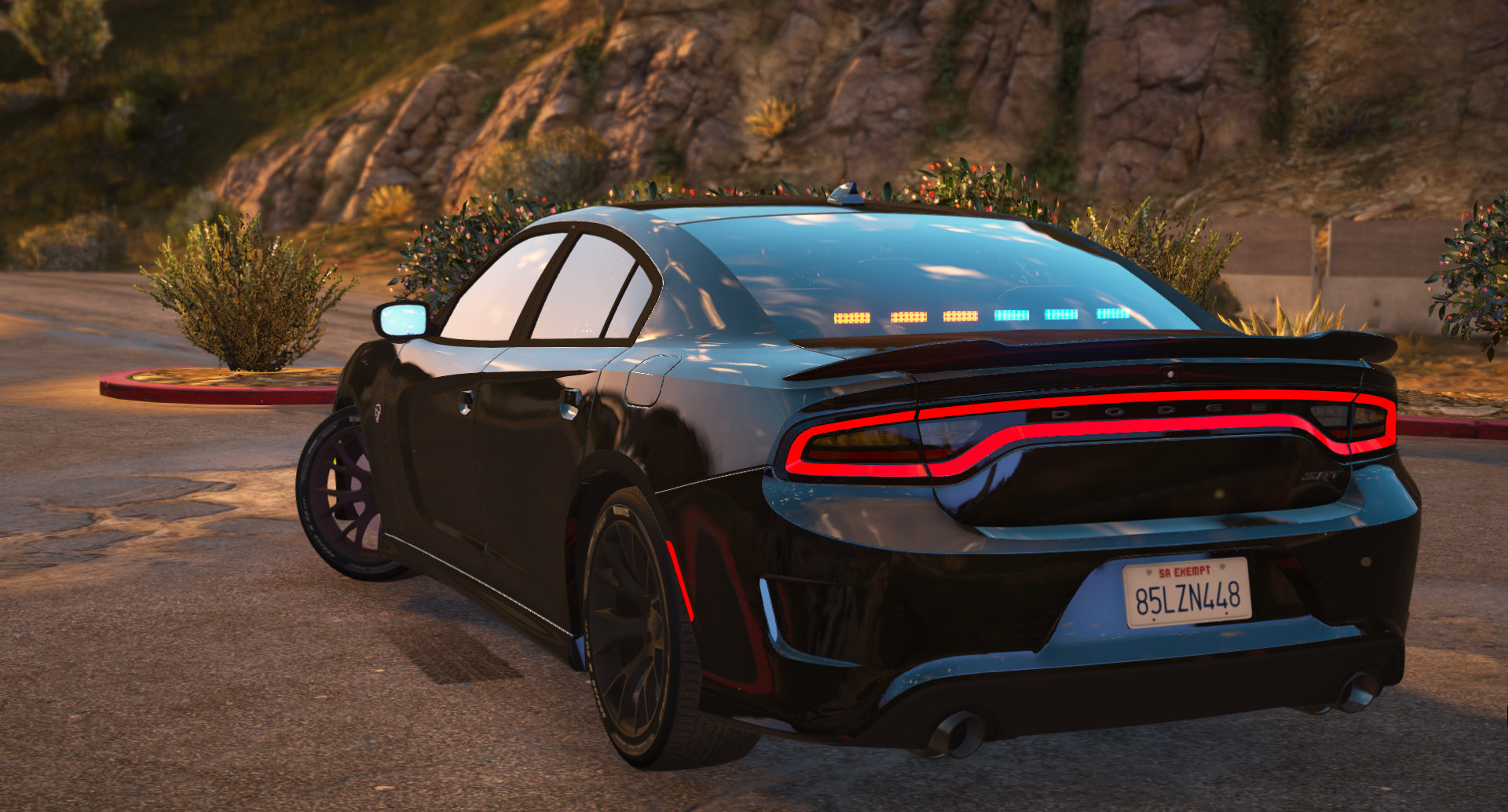
  1. ELS & Non-ELS | 2016 Dodge Charger Hellcat | FiveM Ready
     
    Non-ELS:
    Extra 1: Lightbar
    Extra 2: Visor Lights
    Extra 3: Rear deck lights
    Extra 4: Partition (Cage)
    Extra 5: Rambar
    Extra 6: Rear end lights
    Extra 7: Rambar lights
    Extra 8: Front end lights
    Extra 9: Running lights (red and blue)
     
    ELS:
    ELS Users be aware, if you have a issue where the outer ring of the tail lights flash use this click me!
     
    Showcase video:
    Click here!
     
    **Do not re-post or upload  this file or files on another websites or forums**
    I am not responsible for any damages to your game, computer, or feelings. (MAKE BACKUPS!)
    If I forgot to credit anyone please message me and I will fix it ASAP!
     
    Last but not least, this is my first ever release so please go easy on me! any criticism, suggestions or general feedback is appreciated! 
     
    • 16,918 Downloads
    • 66 Comments
    Updated

Account

Navigation

Search

Search

Configure browser push notifications

Chrome (Android)
  1. Tap the lock icon next to the address bar.
  2. Tap Permissions → Notifications.
  3. Adjust your preference.
Chrome (Desktop)
  1. Click the padlock icon in the address bar.
  2. Select Site settings.
  3. Find Notifications and adjust your preference.