



Brandon P.
Members
-
Joined
-
Last visited
Everything posted by Brandon P.
-
-
-
-
 This isn't fixable unless I fixed it and it wont be fixed as I don't have the z3d anymore.
- 66 comments
- 1 review
-
You need to use the carcols provided and if that doesn't work change siren ID as you could have a possible conflict
- 66 comments
- 1 review
-
Its possible, but currently I am not going to update this model. I am working on something else but when I am done with that I will come back to this and possibly make some final adjustments.
- 66 comments
- 1 review
-
-

- 1
-
-
Seems like a you issue. the Non-ELS version of this car requires the provided carcols.
- 66 comments
- 1 review
-
That’s because all the sirens are inside the extras. Every light on this vehicle is removable
- 66 comments
- 1 review
-
Should have a update out here by tomorrow, will provide a ELS version aswell as I can setup a all blue for both Non ELS and ELS versions 🙂
- 66 comments
- 1 review
-
-
Yep that is the plan, I understand that NON ELS is basically only used for FiveM and so I do plan on making a ELS version for the LSPDFR players 🙂 Thanks for the information haha I will keep that in mind for the future if needed!
- 66 comments
- 1 review
-
That’s fair, I do understand not everyone likes a lot of lights which is why I did make every single light on this car a extra.
- 66 comments
- 1 review
-
Possibly yeah. That is something that it lacks due to siren limitations with rear lighting but I might be able to work something out What makes it “yuck” if you don’t mind me asking?
- 66 comments
- 1 review
-
@phycorebelgaming New version uploaded! and the headlight issue should be fixed now!
- 66 comments
- 1 review
-
@phycorebelgaming I will take a look, I didn't notice that in my testing. as for only the high beams working this is so the running lights can be turned off so that you can sneak during the night, I will look into the not being able to see issue.
- 66 comments
- 1 review
-
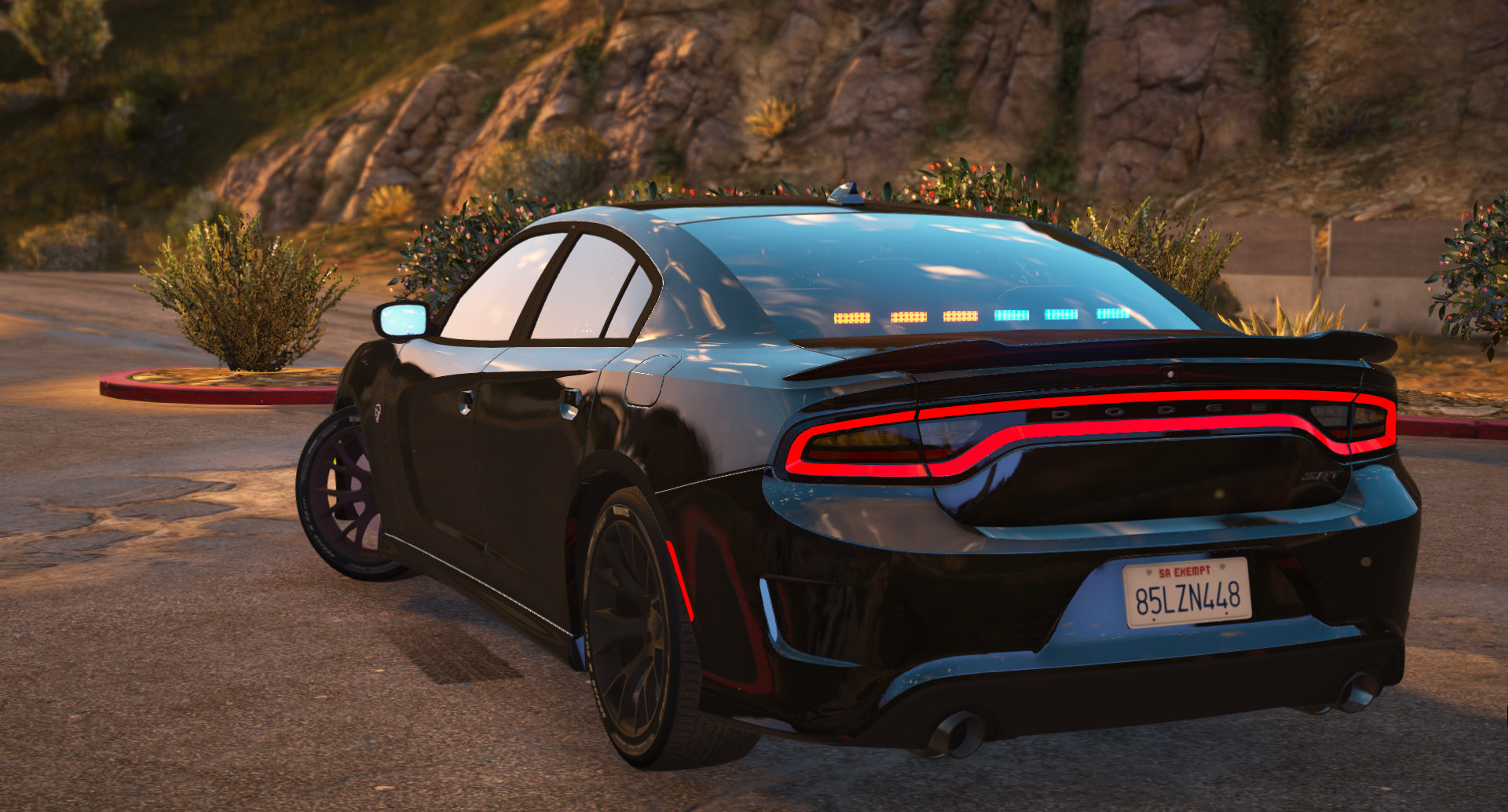
ELS & Non-ELS | 2016 Dodge Charger Hellcat | FiveM Ready Non-ELS: Extra 1: Lightbar Extra 2: Visor Lights Extra 3: Rear deck lights Extra 4: Partition (Cage) Extra 5: Rambar Extra 6: Rear end lights Extra 7: Rambar lights Extra 8: Front end lights Extra 9: Running lights (red and blue) ELS: ELS Users be aware, if you have a issue where the outer ring of the tail lights flash use this click me! Showcase video: Click here! **Do not re-post or upload this file or files on another websites or forums** I am not responsible for any damages to your game, computer, or feelings. (MAKE BACKUPS!) If I forgot to credit anyone please message me and I will fix it ASAP! Last but not least, this is my first ever release so please go easy on me! any criticism, suggestions or general feedback is appreciated!
- 66 comments
- 1 review
-
-
-

- 4
-
-
DUDE I would have never thought of that thank you :D
-
First off if this is the wrong area im very sorry. Anyway IK this has been posted before but what I was told to do I did and didn't change anything Here is my error: https://gyazo.com/439cdcfbd856e30789fbbeb215ca0e52 Here is my material browser: https://gyazo.com/7dd0945d4d3bcff90530cd6ee33b7ff8 Some more info for you guys: 1. Its is a port from GTA 4 2. I'm using the textures that came with it is this a issue? If anyone can help I would very much appreciate it.

