


xRicky
Members
-
Joined
-
Last visited
Everything posted by xRicky
-
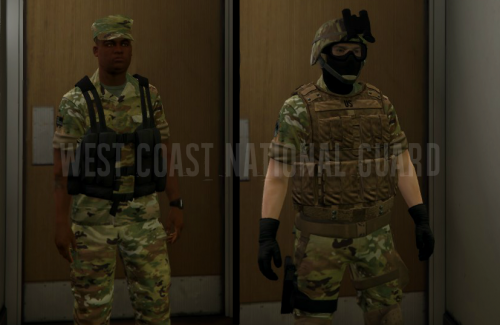 So few things for accuracy. The "U.S. Army" tape goes on the left chest above the pocket. Flags are always on the right shoulder. Placement on the vest was good but there should also be one on the right shoulder of the uniforms. Also the shoulder patch (That 1st Calvary patch) should go on the left pocket instead of above it.
- 14 comments
- 2 reviews
-
 This vehicle pack looks amazing. The attention to detail of the cars is very nice. Also like how the vehicle pack has all the vehicles with same equipment and features. Definitely one of the top vehicle packs to be released so far.
- 147 comments
- 65 reviews
-
-

- 1
-

