


Shivam3005
Members
-
Joined
-
Last visited
Everything posted by Shivam3005
-
Perfect that will work. Thank you for your help.
-
I was looking for slicktop cvpi to add a stealth livery to. We have a few of them here in canada. Has to be els enabled.
-
Thank you, you answered my question. Yes it is a POLICESCO.
-
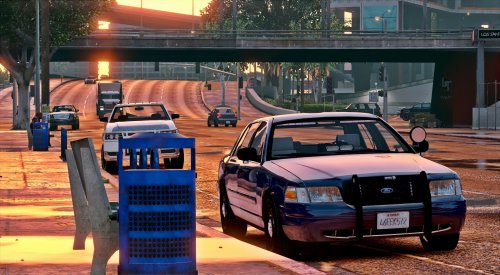 Great car. If I wanted to add a livery to this, as i have used it in the police4 slot, how would I go about doing this?
- 71 comments
- 24 reviews
-
Require help in regards to adding liveries to the police4 unmarked cruiser. I have added FLAG_HAS LIVERY to the vehicle.meta file, i have not touched the carvariation.meta file(as I cant locate it and wouldnt know what to do with it), i have added the new livery, yet the livery is not showing up. What am I doing wrong, or not doing. Your help would be appreciated. Thank you
