BOXman
Members
-
Joined
-
Last visited
Everything posted by BOXman
-
-
.thumb.jpg.982d2abc6ac256a5d1f6f885a9861c45.jpg) No but you can easily convert this to an addon car if you already use addon cars.
No but you can easily convert this to an addon car if you already use addon cars. -
No. I hate to say it this way because I promise I'm not lazy but that is actually way more work than you'd think on my end. You can do it on your end without me having to edit all the stuff. Just google a YT tutorial.
-
-
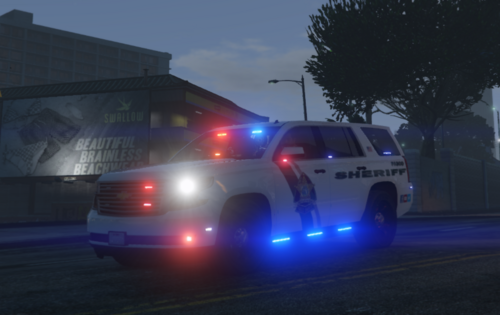
The title pretty much explains this one. It is not based on any agency in particular. It is meant (in my opinion) to be used as a narcotics unit or dui unit vehicle. Often similar vehicles IRL are used as supervisor vehicles for the brass. I have started experimenting with traffic advisors. They are included on this vehicle. It is very easy to change the pattern to either direction using the ELS controls. Toggle TA's on or off with "K" unless you changed your ELS controls. If you want to permanently change the lighting patterns go into the XML and edit it just don't break anything. Because of the LP nature there is very little inside the vehicle except the most basic items needed to function (laptop, radio, speaker, etc). I have had a few requests of vehicles to be made and am working on many more. It just simply takes time but I'll get to most of them eventually.
-
-
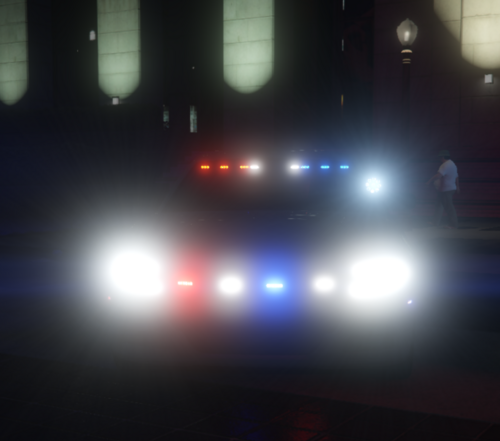 Awesome stuff! That is a ton of lights. The exact pattern may not be 100% accurate due to gta limitations but I will do my best!
 -
-
.thumb.jpg.47537e89d2561e67b6535a8763365799.jpg) This is my first pack release. ZPD is a neighboring agency near me with some great guys. I do not have a ton of experience with their vehicles when it comes to the interior however I can take an educated guess on what the setup is like. As usual all of the vehicles have working takedowns, alley lights, cruise lights, spotlights, and for the first time, working pushbars. Included is the following vehicles: 2020 FPIU 2020 FPIU K9 2019 Charger Liberty LB 2019 Charger Legacy LB 2014 Charger All of the vehicles have tint. The K9 vehicle has darker tint for the dog to stay cooler, so no its not a bug.
This is my first pack release. ZPD is a neighboring agency near me with some great guys. I do not have a ton of experience with their vehicles when it comes to the interior however I can take an educated guess on what the setup is like. As usual all of the vehicles have working takedowns, alley lights, cruise lights, spotlights, and for the first time, working pushbars. Included is the following vehicles: 2020 FPIU 2020 FPIU K9 2019 Charger Liberty LB 2019 Charger Legacy LB 2014 Charger All of the vehicles have tint. The K9 vehicle has darker tint for the dog to stay cooler, so no its not a bug. -
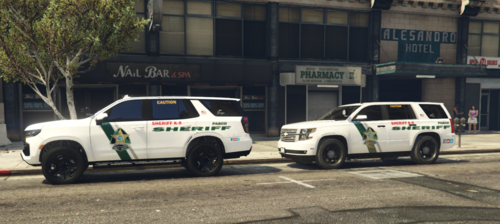 I already made pretty much their entire fleet. Check my profile!
 -
Not sure yet. I dont work with TPD so I have limited knowledge of what everything looks like inside. I could probably do a pack for them. I am considering it.
-
Shouldn't be too hard. Ill see what I can do!
-
K9 versions of my previously created 2021 and 2019 Chevy Tahoe. Equipped with a kennel instead of a cage and a K9 temperature modulation system.
-
If you see my comment above. Those are client side issues with your carcols and/or carvarations files. It has to do with the slot you put the car in. I cannot recreate the issue and the car works fine for me when I change the rims and add upgrades.
-
The livery is charger_sign_1 I believe. It is in there! Has to be for the livery to work! Its a K9 version of my Tahoe I have previously uploaded. It will be uploaded probably in the next few days. I have just tested this on my end and it did not crash and I can modify the engine mods. This is an issue on your end. Make sure the carvarations ID is set correctly for whatever slot you are using it in.
-
This is an unmarked vehicle I have seen around a few times and thought would be cool in GTA. It is based on a Tampa Police Department unmarked charger. God knows what they use it for considering the amount of lights it has. But yknow when you have a union and brand new officers are starting at 80-85K a year, I guess you can spend the same amount of money on flashy flashy lights. If I were to guess this is used as a traffic unit or a supervisor car. The vehicle I made is equipped with a Whelen setup. It is not an exact replica by any means but is more my take on a modernized version (if they still setup the lights like this). It comes with takedowns, a working spotlight, cruise lights, and a separate park pattern. This one does not have alley lights due to how few lights are on the sides and how little the lights are. Probably wouldn't do much realistically so I decided to leave it off. I will probably be making different versions of the charger. Some with lightbars and some without in the coming weeks so any additions you want on this vehicle will probably not be added unless it is a bug or something game breaking.
-
 I fixed it now if you redownload. You can also change the name of the liveries in the .ytd to what it says in this picture:
 -
Yeah it didn't really "come" with one but I extracted it from the textures folder. No idea what's wrong with it. I'll try using some of these tomorrow and see if I can get it to work.
-
I got Raz3rs 20221 tahoe but for some reason when I use the window template it is not even close to accurate and its so off that I cant even guess where to put the text. After downloading it all I did was unzip it, and put it in photoshop. I cannot imagine its an issue with that. I would just make a window template but I am not that skilled at zmodeler to do that and there are not many videos online showing how to do it. Any ideas would be appreciated.
-
-
I can make an unmarked version but until then you can just simply paint the livery black with paint.net
-
The agency this vehicle is based off of sets them up like this. I know it is not the norm to put them there but thats just how this agency does it.
-
-
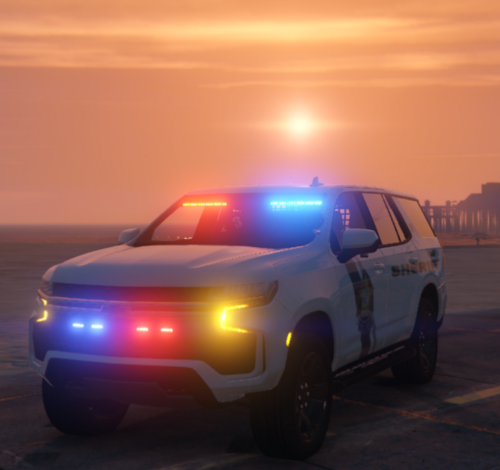
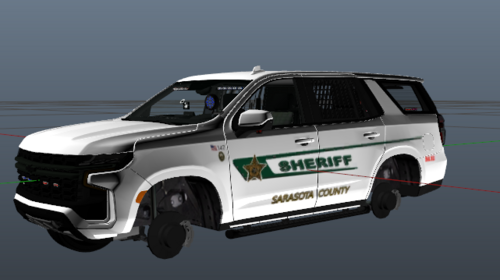 Compatible with Raz3r's Tahoe and subsequently my 2021 PSO Tahoe. This vehicle was a request. I will not be updating this livery. PSO Tahoe:
 -
.thumb.jpg.982d2abc6ac256a5d1f6f885a9861c45.jpg)


.thumb.jpg.47537e89d2561e67b6535a8763365799.jpg)