


Wechno1234
Members
-
Joined
-
Last visited
Everything posted by Wechno1234
-
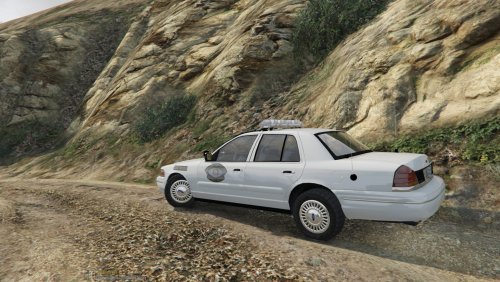 Still doesn't work, I also installed the vehicles.meta and carvariations, no success.
- 47 comments
- 10 reviews
-
Same thing is happening to me. When I go to the 3 light stage, for me, the metropolitan crown vic, the light bar glitches out and the lights within the light bar are moving around . By this I mean, they are not rotating like they need to be, the entire bulb is moving around physically from left to right and looks really messed up. I also have no alley lights but I do have takedown lights.
- 47 comments
- 10 reviews
-
 Good siren, but the manual wail loops and does not stay in the higher pitched tone like it does in real life. Any fix for this?
- 30 comments
- 12 reviews
-
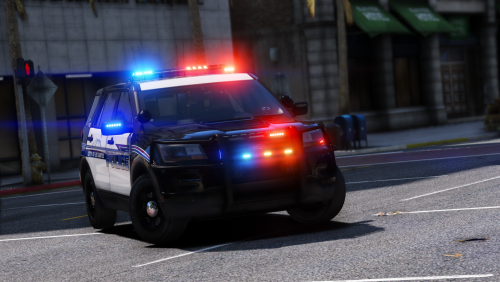 One of the best explorers out there hands down. But it might be just me, but I feel like the pushbar is too close to the car, is there any way to make it a little bit further away?
- 60 comments
- 32 reviews
-
holy moly this worked
-
Luckily I found a temporary replacement for scripthook: https://www.gta5-mods.com/tools/openscripthook-experimental This worked for me, and hopefully it will work for some other people. It's not perfect and not problem free, but it's the closest thing we have to an updated version of scripthook V that we have.
-
Thanks for the help, I think the it just will not work for the steam version of GTA 5. I tried everything I could possibly do. Most people who have it on steam says it doesn't work, but it works for everyone with the Social Club version. I'm just gonna wait another month probably for scripthook to be updated.
-
I got rage to load, but now it says that steam was not launched via the steam client, any way to fix this? To try to fix this, I loaded steam in offline mode, but that did not work.
-
Did this method of turning back to a prev version of GTA 5 not work for anybody else? I start up Ragehook, it checks that I have all the necessary components installed, then it just exits, not showing the loading screen or anything or any other error or warning. Anyone have a possible solution to this?

