


TTrooper98
Members
-
Joined
-
Last visited
Everything posted by TTrooper98
-
Hello, During the loading screen, my game freezes and crashes. I've already tried re-installing LSPDFR but this didn't work. What can I do to fix this? RagePluginHook.log ScriptHookV.log ScriptHookVDotNet.log
-
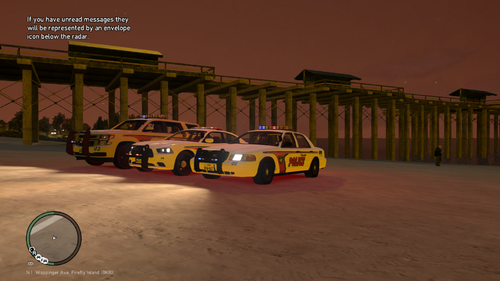 Looks good! Nice to see people still playing IV
 -
Checked mine and that seemed to be the problem, fixed! Thank you so much!
-
When I call for state police backup, LSPDFR crashes. But now I'm also getting these random crashes out of nowhere. The game freezes for about 2 seconds and then closes. Logs below: RagePluginHook.log ScriptHookV.log ScriptHookVDotNet.log
-
Hi, i have the same issue. Can you explain how you fixed it?
-
Ah, alright! Thank you.
-
What about ScriptHookV? Has it been updated? Still can't launch my game 😕
-
When i call in state patrol units, LSPDFR crashes. Same goes for military police or EMS. Also when i respond to certain calls, LSPDFR randomly crashes. I have a CHP vehicle pack installed together with EUP and LCPDFR+. Here are my logs: RagePluginHook.log ScriptHookV.log ScriptHookVDotNet.logHello all, i have a problem with ELS V8.5. When i try to enable the siren with the number keys, nothing happens. I can only turn the siren on with the G key but it's inconvenient when i have to activate secondary sirens. How do i fix this issue? I'm on LCPDFR 1.1 and i use default configuration on all vehicles.I currently have ELS V8 and i know there is an option in the ELS.ini file to have faster ELS lights by changing digits. I have it set at 0 but i was wondering if there was a mod/option to have them even faster?
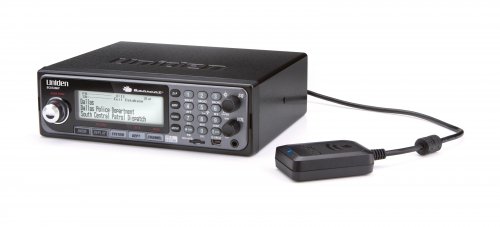 This new modification adds a more realistic tone for calls coming in. It has a double beep sound, unlike the default GTA IV sound. It is currently still in beta, improvement will be made in further versions. You do not have permission to redistribute/modify this file and upload it anywere else. INSTALLATION: Go to GTA IV>LCPDFR>audio>resident>scanner and replace IN_NOISE_01.Every time i try to load the game up it comes with the error that the loader of lcpdfr had a critical error. Here is my log: LCPDFR.logELS V8, some car mods and callouts+I have it working on W10, but you will have to see, it is possible that you can have compatibility issues.If i start up GTA 4, after about 5 minutes, it crashes randomly. I have run the diagnostics tool and it says that i need to post the log here. LCPDFR.log EDIT: Rage quitted several times now.So reccently, i have been playing LCPD:FR and got into a shootout. A suspect was laying on the floor and he keeps getting up and crouching and then falling back to the ground. This happens quite frequently and it annoys me. Does anyone know how to remove this animation? Here's a pic:It happens without having LCPDFR too.I did that already. i'll contact rockstar, see if they can help resolve.No, never touched the handling file.No, i left the models stock and handling line as well.I did it already like 2 times or something.So recently, i have been playing LCPD:FR, and i called prisoner transport. The blue and white van arrived, and it spazzed and glitched through the floor. It rolled and if you would get near it, you would be glitching. I did everything i could to resolve this issue but nothing works. Can someone help me? It is annoying me alot. Thank you.


