


Logan7658
Insiders
-
Joined
-
Last visited
Everything posted by Logan7658
-
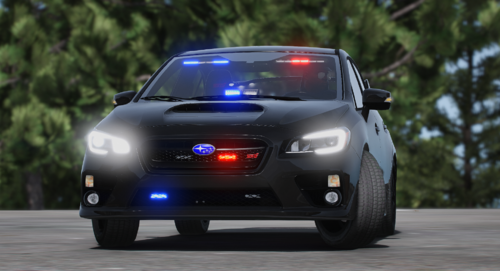 Hey, amazing models! I'd recommend switching the handling ID in the vehicles.meta for the F150, from "TROPHYTRUCK", to "TROPHY", as having it set to "TROPHYTRUCK", causes the game to crash when spawning it. Another thing, I didn't have any lights or sirens with any of the vehicles when I installed them, I don't know if anyone else is having this problem, but the way I solved it was by changing the "ID VALUE" at the top of the CARCOLS.meta, and the "SIRENSETTINGS VALUE" at the bottom of the CARVARIATIONS.meta for each car to any three digit number that's not being used by another addon vehicle or stock vehicle. Make sure they match for each car. I used 387, 388, 389...etc. Also one last thing, the RAV4 has no suspension when driving, any suggestions?
 -
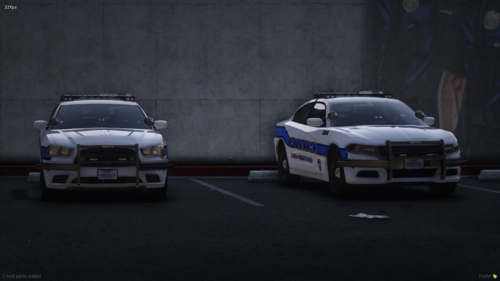 Hey, you have the handling ID's in the vehicle.meta files for both tahoes, set to "SHERIFF2", this causes my game to crash whenever I try to spawn either tahoes. I think they should be set to "FBI2", as this fixes my problem. And because FBI2 is actually what the SHERIFF2 is. Thanks for the wonderful models!
- 22 comments
- 1 review
-
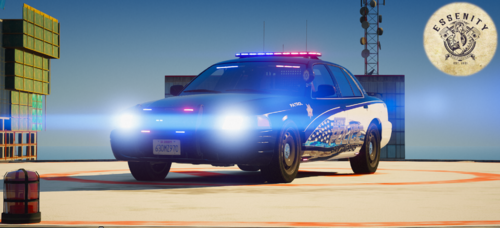 Livery in new update seems to be all messed up, double check you didn't put something different in there by accident.
- 10 comments
- 1 review
-
.thumb.jpg.01262d30e357ac55144a3829cff61f89.jpg) Any plans on updating this so it doesn't crash when checking for updates? Would love to be able to use this!
Any plans on updating this so it doesn't crash when checking for updates? Would love to be able to use this! -
 @Phaxol I was wondering if you could make it so you can disable just the traffic stop menu. Also I'm having a bug where I can't test any evidence I have stored with the roadside drug tests.
- 1,005 comments
- 68 reviews

.thumb.jpg.01262d30e357ac55144a3829cff61f89.jpg)
