


SgtNacho
Members
-
Joined
-
Last visited
Everything posted by SgtNacho
-
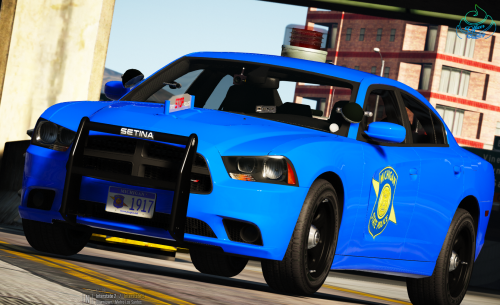 this car is beautiful. as a michigan native its really great to see someone tackle the great gumball conundrum. the only thing thats missing is the lights in the rambar, and two in each back window. i would give this a 100/10 if it would let me.
- 45 comments
- 11 reviews
-
-

- 1
-
-
-
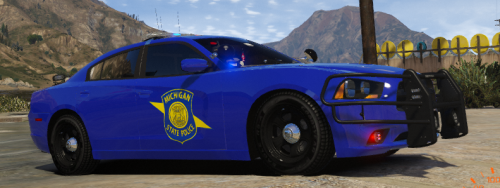 is there any chance of you creating a skin for the 100yr anniversary car? i tried myself but i suck at it.
- 7 comments
- 3 reviews
-
.thumb.jpg.b61d5f418cf11a267eb9da46a821d5f9.jpg) i love seeing some michigan stuff, absoulutly love using the combo of this and your lapeer county stuff, do you have any plans on doing any MSP stuff?
i love seeing some michigan stuff, absoulutly love using the combo of this and your lapeer county stuff, do you have any plans on doing any MSP stuff?- 13 comments
- 2 reviews
-
-
- 1
-

.thumb.jpg.b61d5f418cf11a267eb9da46a821d5f9.jpg)