



Raideag
Members
-
Joined
-
Last visited
Everything posted by Raideag
-
Well what I meant is someone screwed up the website/domain settings, So the site doesn't work.
-
My only suggestion would be to replace everything you have that uses ScriptHook with something else. More than likely since the website no longer exists it won't be updated anymore.
-
100% This..... Would rather tie in certain addons to the initial Interaction menu for some sort of standardization. (tie them all into the MenuListItem that currently only shows "Actions" and "Radio") Not to mention that none of the Action MenuListItem's don't even work ("Idle", "Drink Coffee","Drink eCola","Eat Doughnut", "Eat P's & Q's" The Vehicle Selector menu in the Police Garage be a little more detailed. (For Example: the default cars either have one or two options. Yet it just states "Option", what the hell do these options represent? Second instead of adding a random button at the bottom to switch between liveries on cars add a MenuListItem to control this with the option to configure an ini file to set this up
-
Suggestion: Might want to create an ini file to go along with this Common dll file, All the ini file would have would be the version of the RageHookPlugin that your using for your version checker lookup. This way would give people an option to just manually enter in the previous version number, sort of forcing the mods to go ahead and run. Sort of like how WoW has the check box to go ahead and run out of date addons. Just until theirs an actual update to the addon's/mods. Thanks for all the work you have done on your addon's. Great Work on all your addon's for LSPDFR.
- 124 comments
- 25 reviews
-
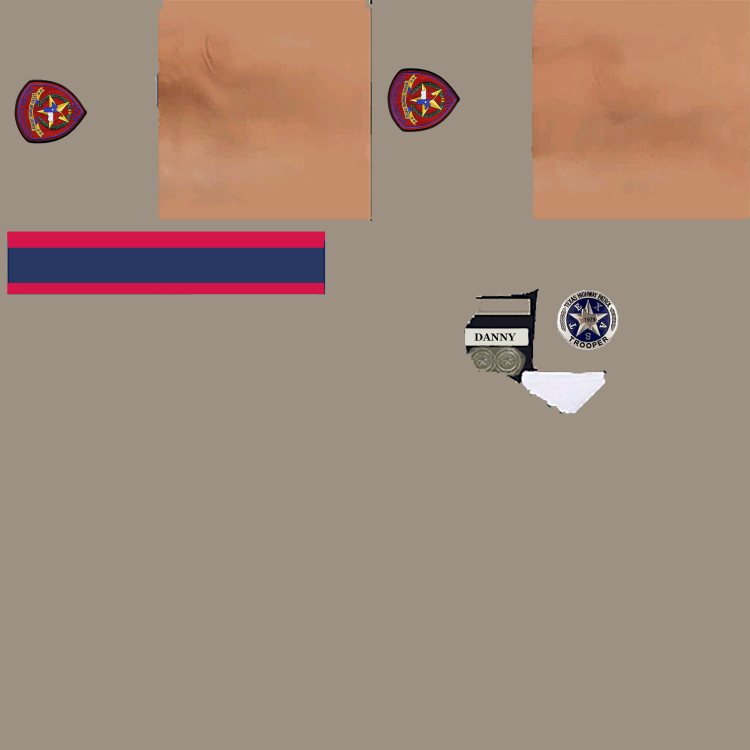
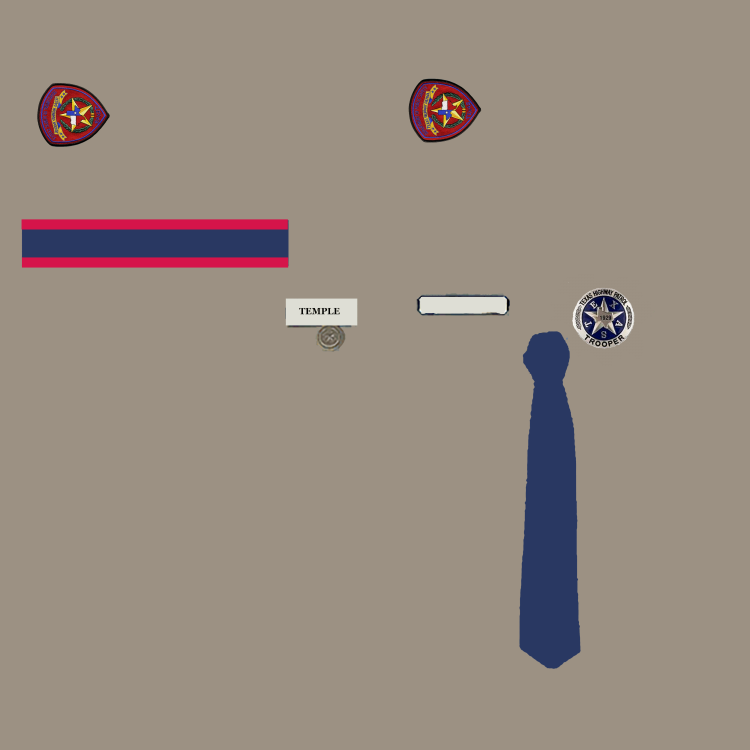
Nicely done! I'm a newb at texturing. Tried updating the texture to replace the badge with the one I got from the "Texas Highway Patrol Wiki". Almost got it, though for some reason I guess there's a couple more textures some where that need updating. Still showing the star around the circle even though the circle is updated. Still looking for the hat texture though. Best Regards, Kind of wish their was a way to place some sort of tag of the name badge so the name would change to the actual player name when it's being used.
-
Good stuff, only problem I'm currently having at the moment is the manual search function for peds and vehicles doesn't actually bring up any information. Maybe it's based on the particular callout or something. However for example I was in the process of entering in a motorcycle gang member for a ALPR traffic stop for Expired Registration escalated to fleeing and eluding that hit 6 other pedestrians. Finally captured the suspect with him sitting in the back of the patrol car. Searched his bike and found cocaine, needless to say was going to throw the book a the perp. Guess I was to busy ALT-Tabbing back and forth and when I had the Computer+ open in game came back to it and the game was basically crawling with the arrow key moving only occasionally to very slow. Noticed at the top of this thread it was a known issue and mentioned something about making sure to using in window borderless mode. Which I've done due to LSPDFR doesn't seem to run on my PC if I tell the RAGE plugin to use full screen. It also mentioned something about making to untick something about background loading. Just wanted to ask for some clarification on where this setting was supposed to be made? Thanks for the awesome mod. Suggestion: One thing I'd like to see is if the notepad when brought up could have some sort of access to a list of ALPR readings as well as Ped Check ID's. Granted it has a pause on it but even though I can get it open quick enough the notifications don't pause and disappear anyway. Then I have to close it out and go back to the game main menu and check notifications to check for the flags, Plate tag ID, and Ped ID, yet the notepad can't be called up on this particular screen. Maybe even a drop down list to select a standard template to bring up to add information to. ( for Example To Include: Officer Name, Time, Location, Reason for Stop, ability to attach Ped Statement's, etc) Granted most of that stuff is their on the computer+ when entering in the citations but was referring to when your out of the car with no access to the computer using your clipboard to take notes etc. Have all the boxes where you enter in information have word wrap enabled. I've entered in information in before and looking at past reports the comments don't utilize the full space and just stay on one line that gets cut off. Not a big one but have the function behind save entry/record close the form out or give some sort of acknowledgement that a entry was created instead of staying open, no telling how many times I clicked save thinking nothing was working. Then I closed it out to check previous citations and there where 10 to 15 citations of the same one I just did.


