Code1Response
Members
-
Joined
-
Last visited
Everything posted by Code1Response
-
hi guys, I'm finally back and now for gta v. I tranferred this skin over for people to use because there hasn't been a skin like this yet. Thanks guys
-
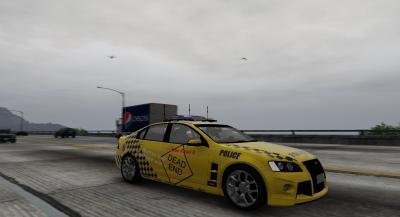 Hey guys! I'm finally back and I've transferred one of my IV skins over to V so you guys can have some more QPS because I know there is a bit of a lack of QPS cars. I will hopefully have some more skins for you soon but it might be a bit hard with school. The skins was 100% created by me to use for this car: You don't need anything but this car. Install the skin in the .wtd file for it. Permission to edit and upload as well as use this in clans is forbidden. Thanks guys!