



SnoozePC
Members
-
Joined
-
Last visited
Everything posted by SnoozePC
-
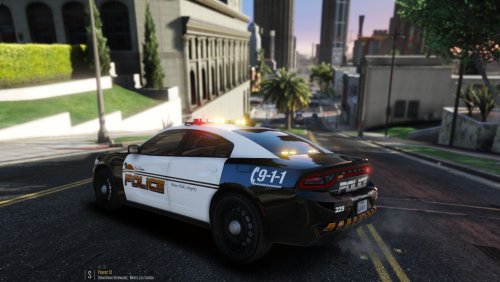 I reaaaaaaaally wanna install this for my police4 slot, can I do so without goofing everything up?
- 6 comments
- 3 reviews
-
 Grand Theft Auto V\mods\update\x64\dlcpacks\patchday19ng\dlc.rpf\x64\levels\gta5\vehicles.rpf\ (Using OpenIV)
- 253 comments
- 53 reviews
-
ugh... noob question, car looks GREAT, but the .yft files, etc say charger/chargerless, can we rename to anything we want? or does it have to be specific? (police, police2, etc?) Thanks
- 253 comments
- 53 reviews
-
CRASH REPORT
-
I reinstalled GtaV v1493, verified it with Steam, installed RPH 0.63.1224.15140, installed the mods below that I had on the previous GTA v1365 which were as follows.. ------------------------------------------- Agency Callouts Arrest Manager Arrest Warrant Callout Assorted Callouts Attempted Crime Callouts Basic Callouts Better EMS Cheep Callouts Clean Flashlight Computer Plus Easy Loadout Emergency Lighting System (ELS) Emergency Strobes Fire & EMS Pack [ELS] gta reveal map Lively World LSPDFR+ Make Peds Calm Again Misc Callouts OJ Callouts On Scene Backup PeterUCallouts Police Smart Radio Proper Ped Age Rage Show My Location Road Incident Callouts Tacco Highway callouts Traffic Control Traffic Policer Vehicle Gadgets + Visual V World of Variety ------------------------------------------- My GtaV loading habit is to launch GtaV as admin, then launch RPH as admin few seconds or so afterwards and it would load beautifully everytime. Now that I am on v1493, I cannot for the life of me get it to work. Sometimes GtaV loads without RPH. Sometimes GtaV loads with RPH (verbose text telling you what RPH is loading) then it will crash. Since v1493, I cannot play GtaV with LSPDFR AT ALL. If you know of any mods above that you know I shouldnt have even installed tell me that, or... Help please.
-
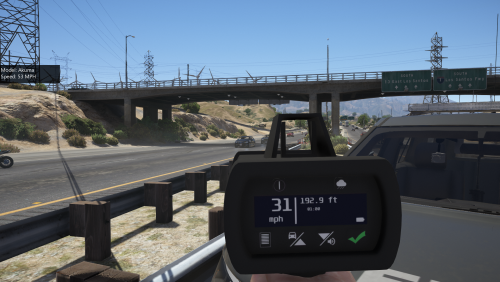 So.... gun works (doesnt shoot, and radar box appears on left side of screen) BUT... When Im on the highway aiming and pulling "the trigger" to catch a speeder, I am 30% of the time getting angry peds shooting at me ! I think they see a "gun" and not a "radar gun" ?? Any idea how to not get "shot at" ??
- 79 comments
- 17 reviews
-
Never had a graphic issue until now, installed GTA V fresh as well as the callout mods as well as the latest version of Natural Vision. Upon loading GTA I noticed a black flickering, almost like a helicopter blade is wirring above my screen or something, and my GFX is always high/ultra before, no issues at all. Help?
-
-
-
 Attach scope and grip to rifles = true Any chance of adding mkII ammo as well? such as armor piercing, incendary, etc? Muzzle, Magazines, Scopes? All the other attachments that could be added? That'd be phenominal.
- 75 comments
- 33 reviews
-
Cant wait.
-
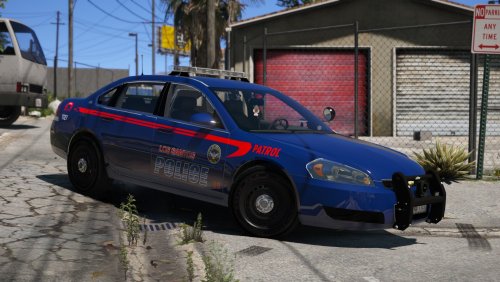 Just ONE question, love the pack, but how can I make the back light bars (in the window) much brighter? The lights up top are bright as I edited emissive bits, but dont know which line to edit for the window back light bar? Thanks for any help.
- 21 comments
- 35 reviews
-
I know you have the ability to add a laptop, after this, phenominal vehicle. (In the FPIU and CVPI)
- 21 comments
- 35 reviews
-
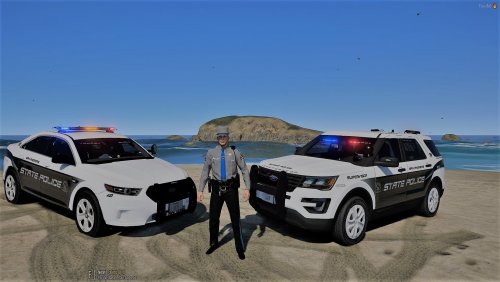 I feel as tho if I pull someone over in this thing the bottom 2 flashing lights will swallow someone whole, all Id have to do is push a button and theyd dissapear into the greatness of the light. All jokes aside, I am using this now, thanks for your service, and work here on this model.
- 28 comments
- 10 reviews
-
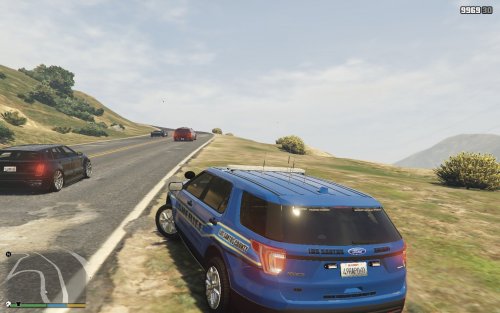 Nice FPIU but can NOT use it due to me going into an airplane barrel roll when chasing a suspect near LSIAP (airport), I love the lighting, inside, but dude I cant drive it lol, Youll get 5 stars IF you can FIX the driving mechanism.
- 3 comments
- 5 reviews
-
Phenominal replies. Appreciate it. and yes I am new to modding, thank God I have the common sense to backup the few files I edit so incase of a game crash, reverting can be done.
-
I am using Emergency Lighting System 1.05 My POLICE2 "slot" needs a police car, but most of the time I like police cars that use the POLICE slot, and I find those easier to find. I want to use a cop car that uses "POLICE" to work as "POLICE2" instead, what will I need to do? I dont like or have a hard time finding a cop car that uses the POLICE2 slot.
-
If you reinstall the game, lspdfr mods, and emergency strobes 4.6 it will work, you have to tap F8/T key on keyboard to swap through different strobes. Once GTA V is loaded, with the above steps done, Hit F4, "Reloadallplugins" two times, all plugins should load including the above mods. Now you can install other mods. but make sure there up to date.
-
It isnt dying. Someone will come along eventually and soup up the mods. I enjoy playing GTA V solely because of LSPDFR.
-
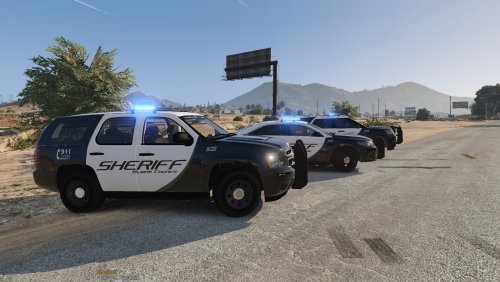 This is what spawns (RPH console, "sheriff, sheriff -> 2 <-, etc below...) Sheriff charger (fav) 2 old tahoe (chevy) 3 mismatch charger / blah (thought was a crown vic) 4 challenger 5 SUV (ford) / nicer of the ones in the past. 6 taurus of the ford 7 SUV tahoe (chevy) WHERE IS THE CROWN VICTORIA AGAIN? Because I am not seeing it, and I LOVE Crown Victorias as displayed in this picture shown above. Especially if it has AMBER/BLUE lighting.
- 74 comments
- 25 reviews
-
wanna go offduty from LSPDFR sometimes and have a garage mod that works. I have Premium Deluxe Motorsport 4.2.1 working somewhat, have to "airbrake in and out of the shop" buy a vehicle, but then Mikes garage only holds 4 vehicles and his safe house 2. Any known garage mods that will work with LSPDFR that can hold more than this? Thanks.
-
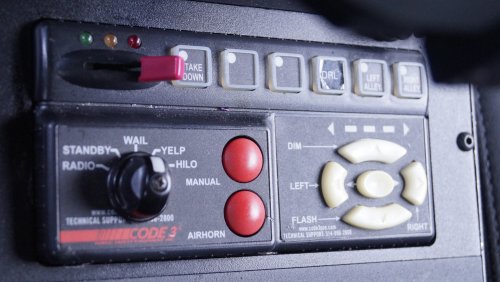 0:12 - 0:21 dude what is UP? Is the officer having a freak attack or what? Anyway, nice siren mod, thanks.
- 3 comments
- 1 review
-
 Just adding the vehicles.oac to the specified path you wrote above correct? Not touching "Tones" and "vehicles" folder?
- 14 comments
- 7 reviews
-
To make a realistic and fun possible experience I am wondering if this can be fixed, or if its even a bug? Sometimes I have suspects who I dunno, just will not listen to the "arrest command" well thats because 8x/10x I cant get it to work, itll work sometimes. When pressing "stop" that command will go out but the arrest command will only come up SOMETIMES, and then the suspect just wont stop fighting or will just stay still like a statue, so after tazing the bozo about 5 times he died. Cool, not what I wanted. Then again, 4-5 calls later, same thing, "stop" then when I try hitting the same button to "arrest" he just stands there stiff like he has a freaking hallucination, like do you want to be tazed bro like that last guy or what? I mean I know its a game, and I could shoot his stubborn self, but whats the point if were playing as police? your gonna want the stop and arrest functions to work flawlessy and continue playing as a cop. Maybe Im being too picky?
-
Been away since 1.1103, everything worked fine, I had Natural Vision 2.2 as my visual mod, and an edited file to make the police lights MUCH brighter @ night. Game updated to 1.1180.2 and after fixing the infinite loop by "updating the mod folder in OPENIV" the mod/file I mentioned above stopped working. - What Visual Mod can I install that is better and less tedious to install, and what file can I edit or mod can I DL to actually make the police lights MUCH brighter @ night? All the add ons to go with LSPDFR are up to date as well. Just need a good recommended Visual Mod and to make police lights brighter @ night, Thanks.


