
Tommy Su
Members
-
Joined
-
Last visited
Everything posted by Tommy Su
-
I reinstalled all the plugins again, but RPH crashed just now, I don’t know why RagePluginHook.log
-
Okay, I understand. Thank you. Can you provide your "carcols.meta" and "carvariations.meta" files
-
Can you help confirm the content of this crash report? I don't understand... RageHookPlugin Crash Report.txt Thank you for the useful tool. I found an error, but I don’t know how to fix it

-
Yeah... it seems that I failed again. I may need to find someone else’s experience to refer to and correct
-
After I installed the "carcols.meta" and "carvariations.meta" of the vehicle module, the same problem occurred again and GTA5 could not be played normally again 😥
-
I just installed LeroyCallouts and LSPDFR.dll crashed. Should I delete it or should I change the settings? RagePluginHook.log
-
After I reinstalled all the plug-ins and modules, now GTA5 and LSPDFR are running normally~
-
Today I opened GTA5 and it displayed the error message "ERR_FIL_PACK_3". How can I solve it?
-
I reinstalled many modules and plug-ins, but I found that the problem has nothing to do with the vehicle module, it seems to be something else.
-
Yes, I have removed all the module files. I will reinstall the plugin
-
I even moved the mods to the desktop, but it crashed and couldn’t play the game regardless of whether it was directly opening GTA5 or using RPH.
-
Nothing was changed, only the vehicle module was replaced And I use steam to verify the game file, but no missing or abnormal
-
Yes, I deleted it and replaced the vehicle module, but it just crashed...😢 Everything was normal in the morning(Taiwan time) , but I just changed the module and couldn't play the game. It’s incredible In addition, after I removed the "dinput8.dll" file, GTA5 can run normally, but it also means that the existing modules cannot be played.
-
The path is: mods> update> x64> dlcpacks> mpchristmas2> dlc> common> data
-
I only have to install carvariations.meta
-
I use EMF (Easy Mod Folder)
-
I used to change the gameconfig file. It worked at first, but now it has no effect... https://gtapolicemods.com/files/file/344-els-los-santos-police-department-megapack/
-
Can't play even without RPH
-
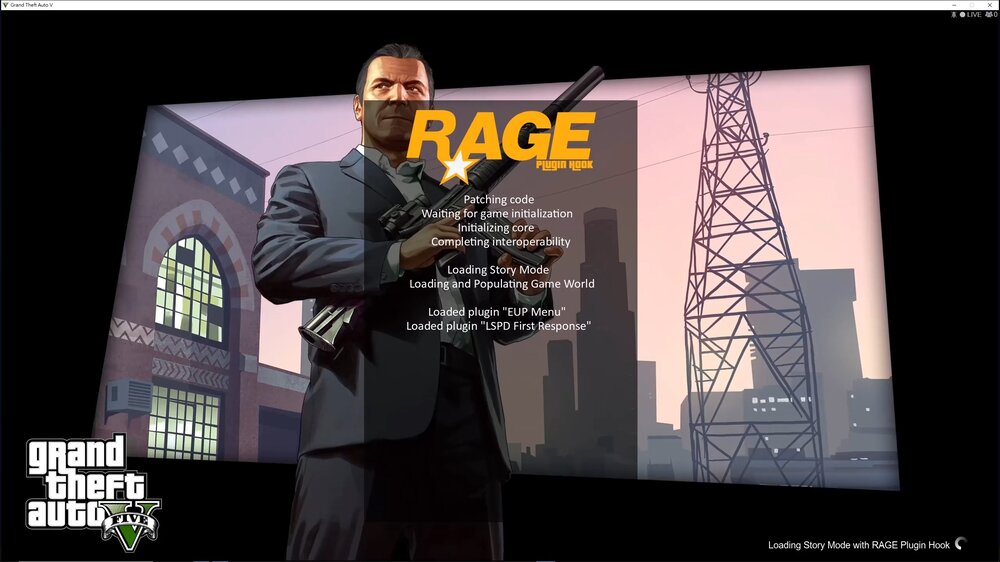
I installed some police vehicle modules, GTA5, and I started to be unable to play. Every time I started, I stopped at this screen and forced to leave the game. RagePluginHook.log
-
Hi ~ LSPDFR crash problem has been solved, but RPH will crash...I don't know where the problem is RagePluginHook.log
-
Here~ RagePluginHook.log
-
I have deleted WoutersCalloutsV but it still crashes...
-
RagePluginHook.log On duty, LSPDFR.dll keeps crashing. In addition, there will be broken graphics in the game, but I have adjusted "Main.PreloadAllModules" to False
-
-
After many adjustments, my LSPDFR and RPH can work normally, but LSPDFR.dll crashes from time to time. RagePluginHook.log