



SeaHawk14
Members
-
Joined
-
Last visited
Everything posted by SeaHawk14
-
The only existing pack is TheHurks CHP pack. It's not ELS, he said he might convert them but don't hold your breath. Why do you need them named hwaycar1-7?
-
Yeah, I'll copy and paste the comment I sent to TheHurk.
-
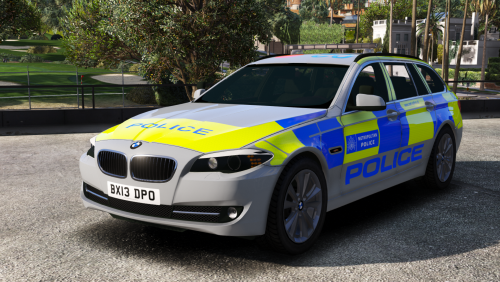
Wait... both the BMW & HD for LAPD/LASD? Also, an FYI, the BMW needs a fair few additions/modifications to make it police spec. Currently it's civilian specification. The BMW police package changes a few things (Polecat has released it today, just two minutes ago)
-
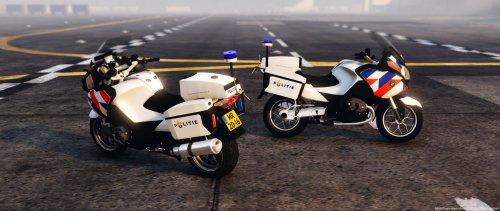
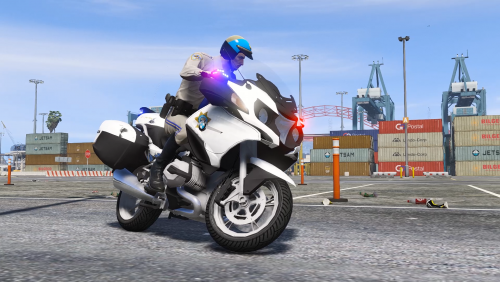 Nicely done CZG... Hopefully some high quality modders can do something really good with this bike.
- 23 comments
- 4 reviews
-
-

- 2
-
-
-
 Actually, I've noticed it's disabled hotkeys for Simple Native Trainer? I used to be able to simply use Ctrl+1 to fix the vehicle, and now I can't anymore?
- 1,524 comments
- 85 reviews
-
 Pity, I really like the Caprice, and not many Cali agencies use them
 -
-
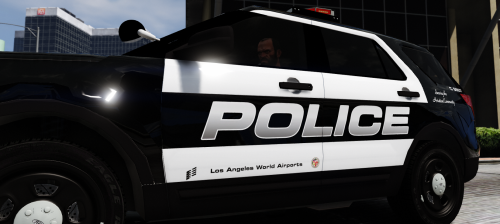
Kudos buddy, I haven't used it yet but I definitely intend to, and like badass22 said, it'll fit in very well with RDE. Also, I wasn't aware that the LAXPD had the new Ford Utilities. Once I try it, I'll leave a review.
-
Awesome! This vehicle I've been waiting for since LSPDFR came out. Good luck! I'm more than happy to help finding images and giving advice (once I've done my final exam)
-
Tbh I'm not all that bothered about ELS on this vehicle at the moment. I really like this model and I'd prefer this than have an inferior ELS version, plus I like all the extras that you have, they're awesome. But it'd be unwise not to implement ELS on future projects, it does give so much more functionality than the default GTA lighting. Non-ELS models in GTA IV was very rare, and very few people didn't use ELS. Considering the lighting patterns of US vehicles is so complex, ELS becomes necessary to have features like alley lights, traffic advisor, code 2 & code 3 lighting.
-
By the way, what's your order of priority for projects? And are you still planning to make all three variants (CHP/LAPD/LASD) versions of the FPUI 2013?
-
Awesome, well done on your exams.
-
 Does it have the headlight fitted corner strobes?
 -
If it's the Pierce Arrow XT then the light bar setup is the MX7000.
-
 Aha, yeah, you're right. Those long responses can be quite time consuming. Sorry no, I wasn't aware it was a joke or a running gag, I can imagine they can get quite annoying. Text doesn't convey humour as well as speach, hence my ardent response. Apologies if it's quite harsh, when I wrote it I did think you were trying to take liberties. Back to the subject, I'm guessing therefore that you do have it planned then?
 -
With respect Alex, it takes more effort to reply with useless satire then give an actual response. Furthermore, seeing as there are 47 pages worth of comments on your EUP page, it's bound to be repeatedly asked. What's more, seeing as I went through almost all the images on your page and saw no image which was of a CHP Commercial Enforcement blue uniform, I'm lead to believe it might not have considered. On top of it all seeing as it isn't mentioned in your "Planned Features" I felt it would be a good question to ask: Long sleeves + tie for LSPD ✔- Coats for LSPD ✔- FIB and undercover stuff ✔- Tactical gear ✔- Firefighter and EMS- In Progress- Add more military gear ✔- Version for females ✔- Improve females gear and uniforms with variety- Add compatibility for incoming mods- Zmodelling improvements - In Progress But hey, cheers mate, I always appreciate someone trying to mug me off after I ask a genuine question . For future responses why don't you consider either of these: "Hey, yeah, we've got it planned, check it out in our gallery, We've had a lot of requests for it already" "No, it isn't something that we've considered, no one has requested it. Thanks for the suggestion, we'll potentially include this in future updates." I'm glad to see you're taking the piss after I take the time to literally search different things: The comments using the search function, the images, and the page itself.. FYI: winglesschip209 asked on the 30th of October "can you consider the CHP all blue tactical uniform", he recieved no reply. Thanks mate... Loved the reply, if only everyone on this site replied with such great comments.
-
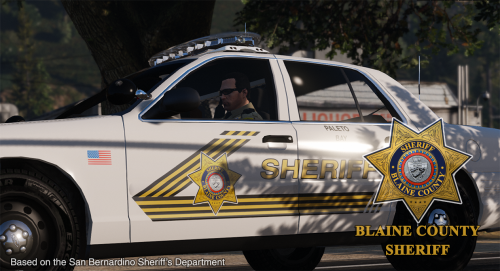
You see your LAPD Gangs/Swat CVPI, would you revisit it for an ELS conversion and the addition of chrome hubcaps as well the normal LAPD hubcaps?
-
 Okay, that works for me anyway. I'm in no hurry, I won't install anything until mid-January anyway Quality work takes time.
- 32 comments
- 8 reviews
-
-
- 1
-
-
 Too true. Welcome back, I hope all the issues with the previous unnameables has been resolved!
- 7 comments
- 1 review
-
I'm glad to see you return! There have been some really crappy UK mods released on this website, letting the side down. I'm glad to see you'll be bringing that to an end.
- 7 comments
- 1 review
-
-
- 1
-
-
 Can you not make a dev version and release it? A lot of US agencies use these BMW's still.
- 11 comments
- 2 reviews
-
 Ah, okay, I'm debating whether to install EUP or not, more scripts = more likely crashes and conflicts. Thanks, I'll take that into consideration.
- 2,349 comments
- 238 reviews
-
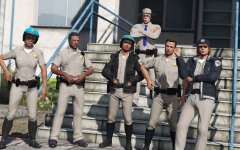
For future releases, could you add the blue uniform for the Commercial Enforcement team and maybe the green jacket on the officer on the left?
-
Those skins look AMAZING Very nicely done

