
SeaHawk14
Members
-
Joined
-
Last visited
Everything posted by SeaHawk14
-
Well, those are the civilian panniers, the RT-P package has completely different panniers, which are only on police bikes... The police ones are much thinner, and probably a less poly intensive shape. So it'd have to be remodelled, but whatever...
-
Reminds me of EVI's awesome looking LAPD CVPI project which unfortunately amounted to nothing: http://s1383.photobucket.com/user/emergencyvehicleinstallations/media/regular1_zpsm2ckfsa9.jpg.html Have a look through some of those bad boys, especially that bomb squad Vic
-
Is this the Code Zero bought BMW? Because there's a fair few corrections you could potentially make to the BMW R1200. Especially concerning those huge panniers that it's got. It could remove unnecessary polys as well.
-
-
Niiicccee... I was getting worried that you'd given up on modelling the cars. Any progress on other models as well?
-
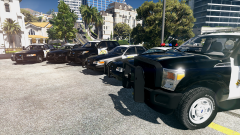 I second C13's request, I'd really like the flexibility to install the models I want into the RDE slots.
 -
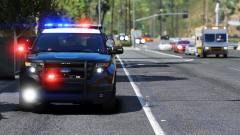 AGH... So the CHP doesn't have that white module in the headlights as in the images above, it's just an entire orange module. it's the turn and marker light.If you get that feedback back to the Hurk, it should be a very quick fix.
 -
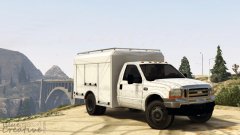 Looks good, I'm not familiar with the Ford classification for pick-ups (UK), I realised after I posted it that the cab was incorrect, F-550 instead of the F-450. Good luck with the project, it's quite an old vehicle now, so if you fog up the lamps and add scuffs/rust to the wheel hubs it'd do great at projecting the age of the vehicle.
 -
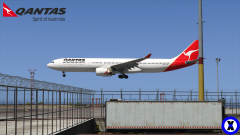 Beauty! Skyline GTR freak did a very good job with the A330.
 -
-
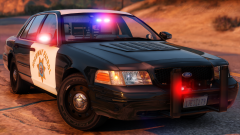 Right, thanks... Yeah, I've done some research, and I can see what the idea is behind it now. Cooler engine means cooler A/C for doggo. Plus with hours of idle time, dissipation of heat is difficult.
 -
Looks promising. What's the thing on the "hood" of the Vic? I had to verify that it actually existed on the real things
-
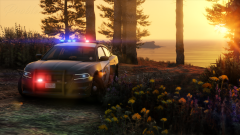 Well that's the main thing, as long as you're able to take criticism well and build on it, no one can fault you. There will be Californians on here which see these vehicles every day, and I hope if they give advice you're able to implement it. That's all I can ask for.
 -
For me personally the wheels look too big, I've noticed from IRL images that there's a sizeable gap in the wheel arches, which isn't apparent in the pictures. In any case its a WIP, it's hard to see from one image alone, and the angle the photo was taken at (whilst beautiful) makes it hard to make a good judgement . Haha, I'm not afraid to make a criticism, but he takes it better from those who he's allowed to test it. Me, I've seen the way he reacts to fair criticism and it's not all that pretty but whatever, that's not a point for discussion here anyway. Yeah, see? I know the car's black so it really doesn't help, but the wheels look kinda small right? haha.
-
Ah cool, thanks for the answer.
-
Can you tell the Hurk the wheels on the Tahoe appear too big?. Someone else did, and he ripped into them. Those Tahoes sure do look good in CHP livery though IRL. Anyone know what their role is?
-
I just wanted to say, check out California Highway Patrol Pics on Instagram, one of their videos is of the interior of the new 2016 Dodge Charger, I was trying to post it on here but I was having issues.
-
I hope we see improvements on your previous CHP pack, because there were bugs in that which quite frankly didn't live up to the quality associated with your name. I wish you well in this project, the CHP is by far one of the most interesting agencies out there, and I hope you're able to do them justice with high accuracy and high quality vehicles . I also look forward to the Tahoe models that you'll bring. Good luck
-
By the way Lundy, a reference video for your BMW R1200RT-P. It's LAPD, but the LASD setup will be the same.
-
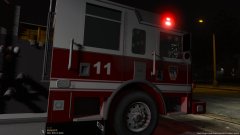 Is an LAFD Pierce Arrow XT in the works?
 -
Okay, that's good. I agree, it is too much, plus Ive seen that Chippy is making a 2013 CHP FPUI and TwistedScope is working on an LASD version, so other people are already making them. The one thing I would like to ask for is a 2016 FPUI California Highway Patrol like this: But that's once you've done the LAPD version and any other priority projects of course.
-
What's your plan? FPUI 2013: CHP,LAPD & LASD FPUI 2016: CHP,LAPD & LASD FPIS 2014: LAPD & LASD Because that's a lot of work. On top of your other ongoing projects I'd say that'd be too much work...
-
.
-
It's sad to see people will charge for a model for a game. Never mind, I understand that models are expensive to buy and very time consuming. I would have been very happy to see an LAFD Pierce Arrow XT.
-
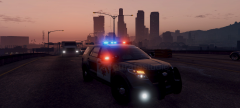 The fact that this is the only CHP Utility vehicle with the correct headlights makes me very hopeful for this vehicle. Best of luck, I look forward to this model