


potatoelkasaurus
Members
-
Joined
-
Last visited
Everything posted by potatoelkasaurus
-
That seemed to be it THANKS!!!!!!!!
-
I did and this is still what came up after I watched the whole thing and re did my entire gta folder
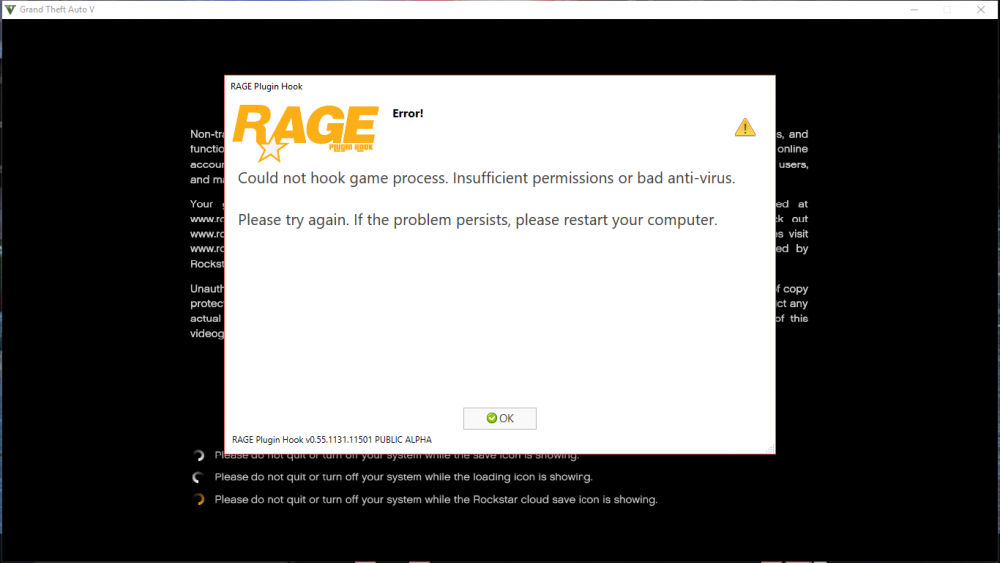 I have no anti virus and when I try to run as admin the same error comes upHi, I have had GTA 5 on pc for about a year now ( I play on console) and in the past few months I have been trying to get mods for a while I did have mods until the newest patch came out and I cannot use it any more it comes up with a ERROR:Insufficient Permissions or Bad Antivirus and I have been trying everything from different youtube videos to messing around myself. I have reinstalled the game 5 times now and now it is becoming a chore. Please help me with this I just want to play the game with LSPDFR. Thanks if you need more info just ask.


