Skip to content
View in the app

A better way to browse. Learn more.

LCPDFR.com

A full-screen app on your home screen with push notifications, badges and more.

To install this app on iOS and iPadOS
  1. Tap the Share icon in Safari
  2. Scroll the menu and tap Add to Home Screen.
  3. Tap Add in the top-right corner.
To install this app on Android
  1. Tap the 3-dot menu (⋮) in the top-right corner of the browser.
  2. Tap Add to Home screen or Install app.
  3. Confirm by tapping Install.

ryanL

Members
  • Joined

  • Last visited

  1.    ryanL reacted to a comment on a file: Lore-Friendly BCSO/BCFD Firehawk Texture
    • 204 downloads
    • Version 1.0.0
    A lore-friendly texture based on the newly refurbished firehawks used by Ventura County. More specifically being N70VC. Model and original textures by SkylineGTRFreak https://www.gta5-mods.com/vehicles/s-70a-firehawk-fire-fighting-helicopter Do not: 1. Claim as your own 2. Rip or attempt to modify the skin in anyway 3. Attempt to sell this texture to anyone. (This texture is free for everyone who wants to use it)
  2.    ryanL reacted to a comment on a file: LASD Air Rescue 5 Skin Pack
    • 285 downloads
    • Version 1.0.0
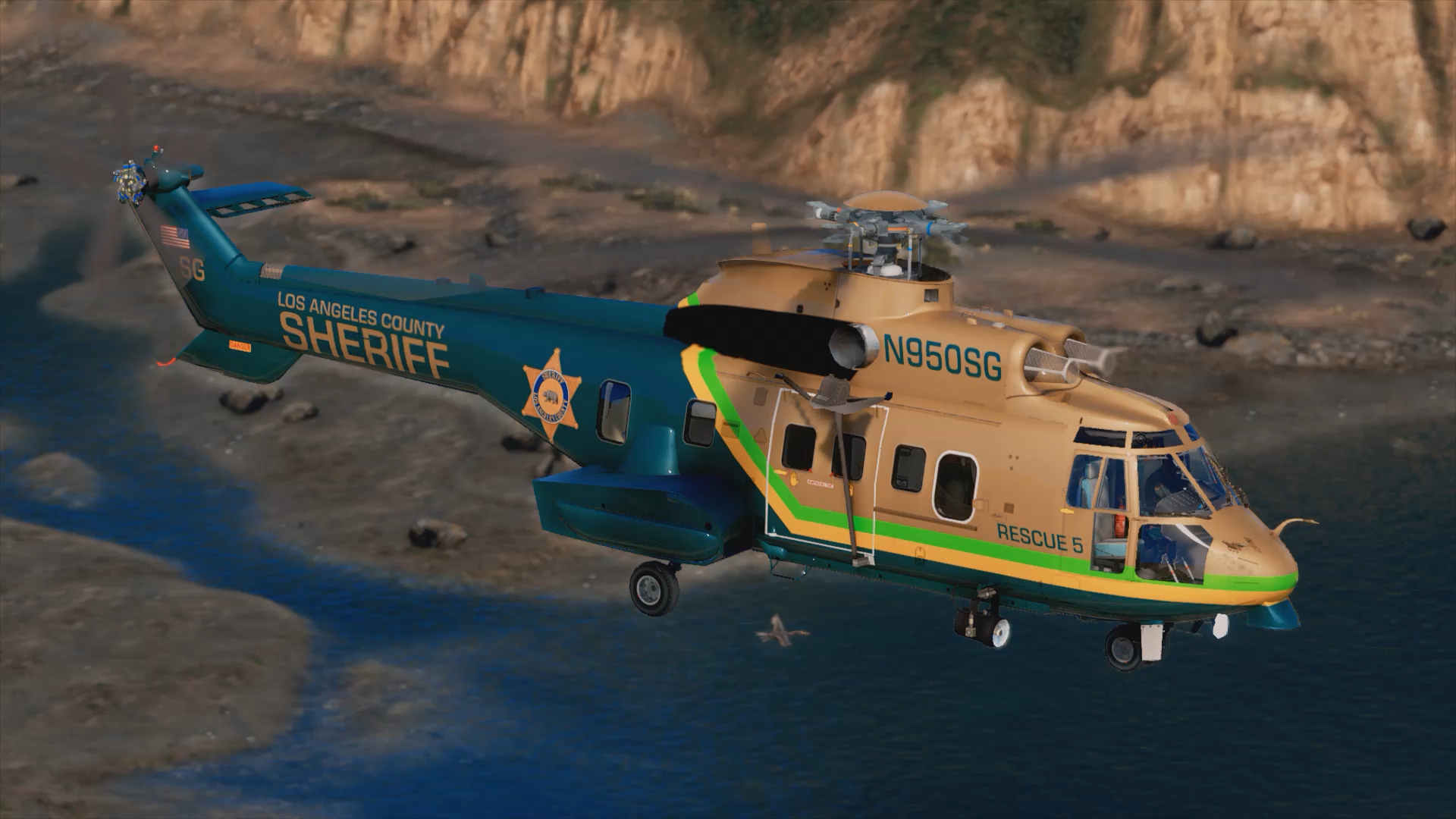
    I tried to be as accurate as possible to the real aircraft, but if you find any errors please report them to me. Model can be found within the LML Package https://www.lcpdfr.com/downloads/gta5mods/scripts/25465-coastal-callouts/ Includes all 3 tail numbers used by the LASD. N950SG N951LB N952JH Do not: 1. Claim as your own 2. Rip or attempt to modify the skin in anyway 3. Attempt to sell this texture to anyone. (This texture is free for everyone who wants to use it) I hope that everyone can enjoy these as I had a blast making them!
  3. ryanL changed their profile photo
  4. Images added to a gallery album owned by ryanL in GTA V Galleries
  5. ben.t13 started following ryanL

Account

Navigation

Search

Search

Configure browser push notifications

Chrome (Android)
  1. Tap the lock icon next to the address bar.
  2. Tap Permissions → Notifications.
  3. Adjust your preference.
Chrome (Desktop)
  1. Click the padlock icon in the address bar.
  2. Select Site settings.
  3. Find Notifications and adjust your preference.