




BenjaminFlankin
Members
-
Joined
-
Last visited
Everything posted by BenjaminFlankin
-
-
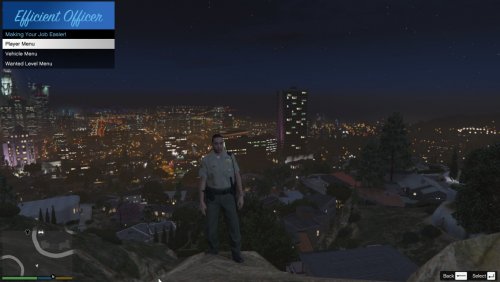 THIS MENU IS IN BETA! Expect small issues. They will be fixed. This menu makes your life as an officer more efficient. It takes out all those tedious tasks and makes them quick and easy! What can this menu do? •Quickly heal the player and give armor to the player!•Equip an officer loadout! •Spawn police vehicles quickly! •Fix/Wash Vehicles! •Edit Wanted Level! Requirements: Script Hook V .NET NativeUI (Both are included with installation tutorial in the ReadMe). Controls: The default key to open the menu is F6, this can be changed in the .ini file. Up & Down arrow keys to scroll up and down. Enter to select. Back to go back.

