
Reaper59
Members
-
Joined
-
Last visited
Everything posted by Reaper59
-
My god, thank you so much my friend. That's exactly what it was, there was an underscore missing in the file name. Now if I can just get these ELS files to work so the sirens work like they should, they are doing my nut in.
-
I downloaded this texture pack As I think that looks amazing to replace some of the textures on these cars I replaced and changed the textures in the YTD files using OpenIV to the ones I want. Opened the YFT using OpenIV and checked on the model viewer and the car looks exactly how I want it but when I actually spawn the car in-game, it still looks like the Sandy Shores Mega Pack car and not the Blaine County Sheriff Texture Pack one. What am I doing wrong, am I missing something?
-
Ok, cheers mate for trying anyway. I'm sure it's something simple that I'm missing.
-
Yes. I put them in the ELS folder and the pack default at first because I wasn't sure and just to be on the safe side. I don't know if I'm unlucky that I just downloaded 2 bad files It's these I downloaded
-
I have a problem with downloaded cars. The vehicles show up fine in the game, but the sirens don't show up when I switch them on. I put the XML files in the ELS folder but they still don't seem to work. I'm not sure if I have the folder in the right place C:\Program Files (x86)\Steam\steamapps\common\Grand Theft Auto V That's where I put the folder, is that correct?
-
Just another quick question. How do i use either Michael, Franklin or Trevor to patrol the streets because everytime I go to the police station it sends me to the create a cop screen and I can't select either of the main characters. Thanks
-
Thanks ever so much for the answers mate. I've already downloaded a few scripts, just hope i can get them to work ha ha. Sounds very fun and interesting though
-
Hi I recently bought GTA V for my pc as it was on offer (50% off on steam) and I'm in the middle of downloading it. I love GTA V as I already have it on PS4 but I wanted it on PC because LCPDFR and a lot of GTA V mods sounds so fun to play. If you nice people would nice to answer them, my questions are 1) Can I install LCPDFR now even though the game hasn't downloaded yet? 2) Do I need to install anything extra to make these mods work in game? 3) Just so I know, when I download cars, where do I go in the game to find them? 4) Can I use either Michael, Franklin or Trevor in LCPDFR or do I have to use a custom player to be a cop? 5) Can I fully customise the cop I use in LCPDFR, say like I can change his face, add tattoo's and his clothing? 6) Can I use LCPDFR even if I haven't completed GTA V yet, and if I can will there be restrictions until I complete GTA V? Thanks for any answers (if any)
-
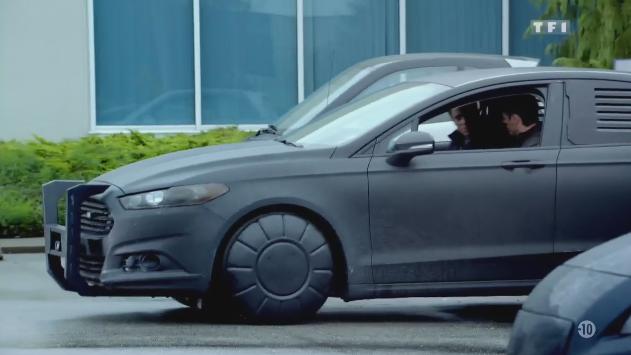
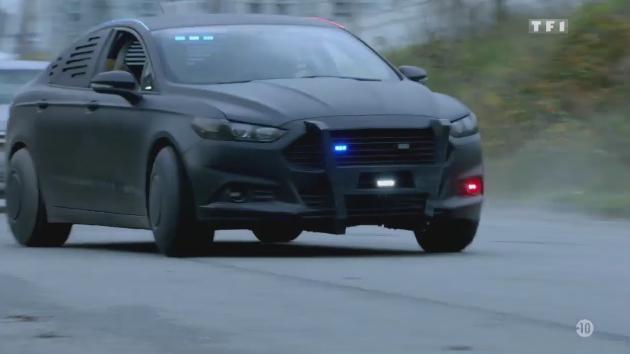
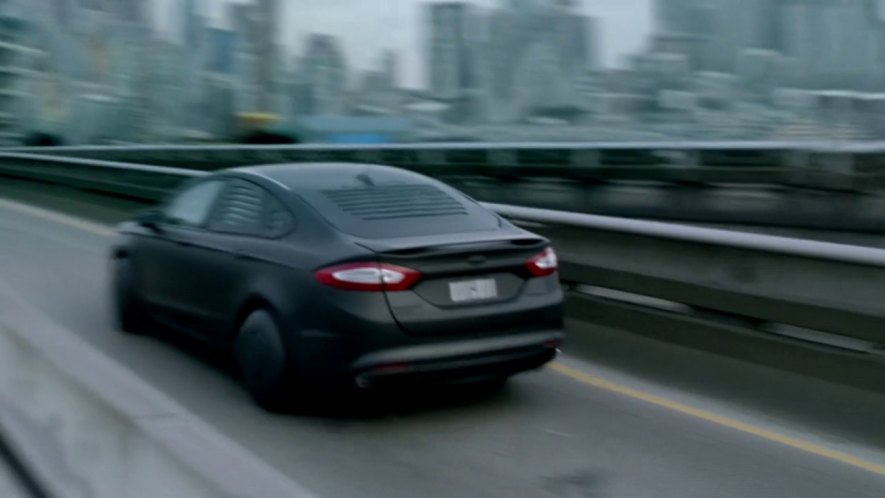
Hi I was wondering if someone could create the Ford Fusion police car from the cancelled (sadly) series Almost Human that John Kennex (Karl Urban) drives. I'd love to cruise around in this on GTA V while solving crimes. Hope these pictures are good for anyone. Thanks