Skip to content
View in the app

A better way to browse. Learn more.

LCPDFR.com

A full-screen app on your home screen with push notifications, badges and more.

To install this app on iOS and iPadOS
  1. Tap the Share icon in Safari
  2. Scroll the menu and tap Add to Home Screen.
  3. Tap Add in the top-right corner.
To install this app on Android
  1. Tap the 3-dot menu (⋮) in the top-right corner of the browser.
  2. Tap Add to Home screen or Install app.
  3. Confirm by tapping Install.

wbastian4

Members
  • Joined

  • Last visited

  1. Yeah i know. Those Chargers are from Fast and Furious 8 :') I've made this skin 'cuz it looks rly good in game (for me).
  2. wbastian4 changed their profile photo
    • 259 downloads
    • Version 1.0
    Pack includes ~4K NYPD 2015 Charger Skin~ COMPATIBLE MODELS 2015 Charger Click!/Click!/LSPD Pack [ELS] (probably they're more models...)
    • 126 downloads
    • Version 1.0.0
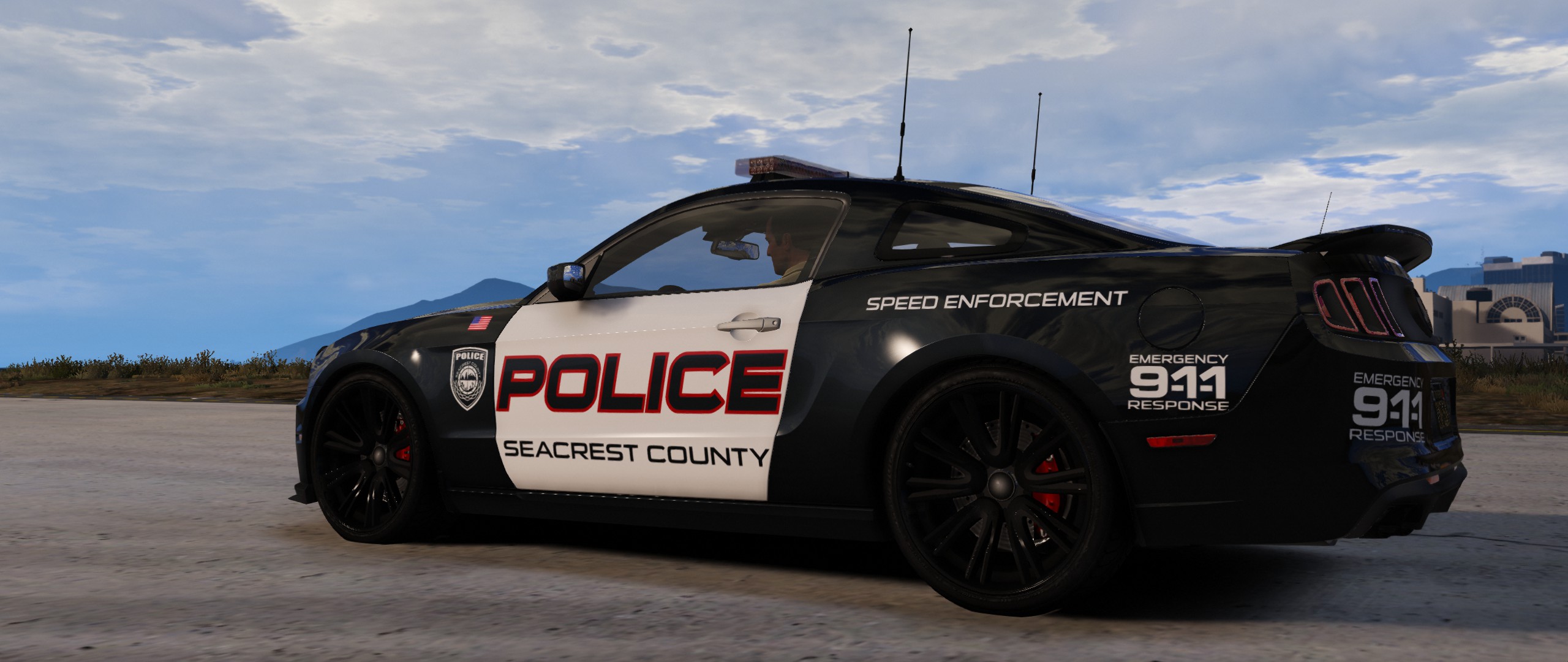
    Seacrest County Police Departament Skin Pack (SCPD - NFS Hot Pursuit 2010 Police Units) COMPATIBLE MODELS 2014 Charger - Black Jesus/thegreathah/Maurice97 2016 Taurus - Gump/thegreathah/t0y/Kafloopy888 2011 CVPI - Bxbugs123 ~Want use in your model/car? Write me!~
  3. @BradM Hi! I've got an idea to make police vehicles with your this skins in Garry's Mod. Can i use them? It would be great 'cuz they're looking amazing and i would like to see them in this game :D I'm gonna link my profile so u can see my work Link http://steamcommunity.com/id/PieselRudawy/myworkshopfiles/ ~sry for Eng~
  4. Hi! I've got an idea to make/convert your vehicles in/to Garry's Mod. Can i use your skins? It would be great 'cuz they're looking amazing and i would like to see them in this game :D I'm gonna link my profile so u can see my work Link http://steamcommunity.com/id/PieselRudawy/myworkshopfiles/ ~sry for Eng~

Account

Navigation

Search

Search

Configure browser push notifications

Chrome (Android)
  1. Tap the lock icon next to the address bar.
  2. Tap Permissions → Notifications.
  3. Adjust your preference.
Chrome (Desktop)
  1. Click the padlock icon in the address bar.
  2. Select Site settings.
  3. Find Notifications and adjust your preference.