


Andoverville
Members
-
Joined
-
Last visited
Everything posted by Andoverville
-
In the last GTA V game update, I lost my police peds. No i didnt't back them up. Yah, you can smack me. The last proper LAPD badge shape was created by LUNDY. It had to have been WIP - it's nowhere to be found. I am game to edit the badge object in Lightwave. (pardon the pun) Just need a tut.... or, Lundy's LAPD officers. .....what do you think?
-
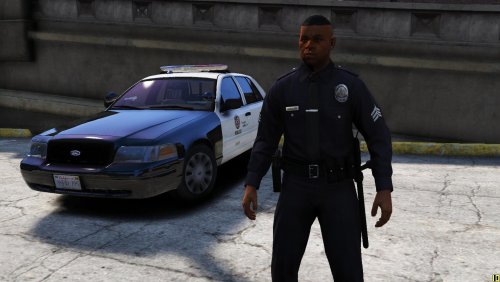 How does one reshape the badge? I lost lundy's LAPD officers - WIP, I guess. Nowhere to be found, now. So where are the bits? Have Lightwave - good to go. Just need to some intel... lil help?
