Andoverville
Members
-
Joined
-
Last visited
Everything posted by Andoverville
-
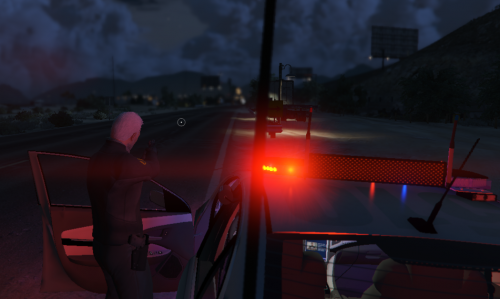
 No top lights - \mods\update\update.rpf\x64\data\carvariations.ymt <lightSettings value="0"/> <sirenSettings value="1"/> top lights active but radiance is blinding. fills the screen - <lightSettings value="1"/> <sirenSettings value="1"/> What is correct config, please?
- 67 comments
- 11 reviews
-
headlight bleeds out of grill at night.
-
RESOLVED! At issue was a corrupt vehicle DLC. Going back on what I could done to mess that up; I was browsing old rockstar editor projects and opened and oldie. Game crashed. Meh, went to watch the game. Loss of ELS lights and choppy load in of floating text on screen was the reason. The solution was to delete and reload the mods folder. I found the corrupt DLC in putting some addon cars back in via OpenIV. Good thing I inspected each before going to game. I am good again. Perhaps my experience will help others.
-
Could be OpenIV. Open it to see if it will prompt you for permissions.
-
Still analyzing and my issue seems to point to scripthookV and its associates. Also finding that DLC list has to be vanilla for time being. GTA V crashes on intro if not. ScripthookV et all has been removed. The added cars [dlc list] have ALWAYS been there before. I took them off the list. One more note - On the RPH game load, where items/ plugins are loading - "floating" text; The motion is choppy not smooth. Comment, anyone?
-
Same issue with me. Can't find a reason anywhere. Happened about same time as you.
-
No Light bars all of a sudden on ELS enabled vehicles. Tried just about everything including rebuilding the mod folder. Everything is up to date. Everything else works. I run a lean sim... menyoo, eup, one call out pack... Sat down at the PC and no light bars. Hmmm. One thing... In testing the ELS cars in-game (without RPH) GTA V flashed the following (in summary): Scripthookvdotnet2.dll is deprecated and may not be actively supported. Deleted it.... issue remains. What haven't I looked at?
-
All Good now... Always have used TrainerV (Simple Trainer). It was the wonky September 25th Scripthook update that was the culprit. Blade dropped a new one since. Thanks for reaching out!
-
On 09/26/2024, I loaded the 09/25/2024 ScripthookV update. The package was NO FUN when trying to download. The link kept redirecting to another page on dev-c.com until "it gave up" and gave it to me. The DLL is double the size. The package also included NativeTrainerLegacy.ASI with NativeTrainer.ASI. Now if you DON'T use that trainer with your game; the scripthook banner* across your top left screen will stay there. SIMPLE TRAINERV menu (if you use it) will overlap NativeTrainer menu. (gggrrr) The reason (I believe) the DLL is large is that it holds the image file of the *banner. Now, with all up and running, Rage Plugin hook crashes during game play. Rage plugin hook also crashes while using ROCKSTAR editor. This is the newest rage PH that came with LSPDFR's supporting update. I disabled BattlEYE long before these updates. Solutions? I have none. What has your experience been?
-
LSPDFR build 8943 crashes my PC when I engage "Go On Duty". Outdated ScripthookV.dll previously removed. Ragepluginhook log showed me errors that pointed to perhaps shared files in the mods folder. This, as we wait for the July 2024 "scripthookV" update. I renamed the folder (_mods) and took out all "scripthookvdotnet" files from the main directory. Back to lame cars (except the gauntlet, woooh!) and sweaty cops with ugly badges. Here's hoping scripthookV July 2024 edition drops soon!
-
-
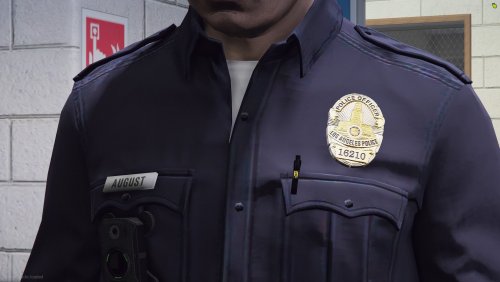 If only the badge was not so thick. Nicely done, otherwise.
 -
Well, you speak it your way and I will speak it mine. This is resolved. The file needed was found in "mpheist"
-
I am not looking for EUP ped texture. I use "s_m_y_cop_01" and "s_f_y_cop_01 " dressed in the Lundy LAPD uniform. I am looking at the IN-GAME cops, such as the officer questioning the perp in the mission row station. Looking for the dir/folder holding that jbib file.
-
Hi, I would like to switch out the game cop duty belt texture on male and female "mp_m_freemode_01" /"mp_f_freemode_01" cops. Might you know what folder carries the "freemode" cops?
-
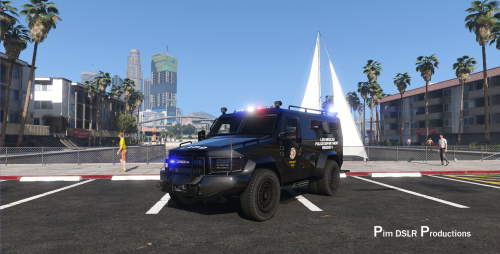
Cops will hold onto the sides of the Brickade and Granger. They will NOT hold onto the sides of Riot van (Lenco Bear). Ever hear of this cuz I am stumped. ...anybody?
-
Can't seem to find the solution on my own. Do you know how to disable/remove hats from AI/back up cops?
-
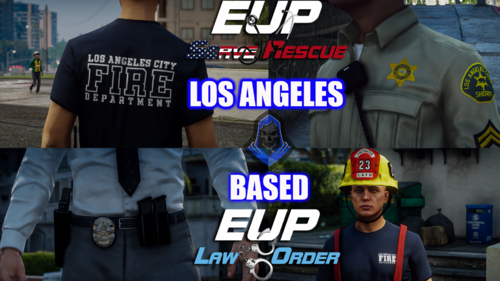 I believe the s_m_y_cop_01 (LAPD) was built on the GTA V security officer model or the PORT AUTHORITY officer in this EUP. The shape of the badge is the correct shape. Could you look into making it so in your next build? Here is a video I made when I was just learning the sim. (several years ago) It features the LAPD shaped badge. I still use these officers today.
- 132 comments
- 7 reviews
-
-

- 1
-
-
Could not hook game process. Insufficient permissions or bad anti-virus. Please try again. If the problem persists, please restart your computer. SOLVED IT! Disabled in-game overlay in NVIDIA's GeForce Experience UI. All running sweet, again.
-
Added exclusion/rebooted; No change. Could not hook game process. Insufficient permissions or bad anti-virus. Please try again. If the problem persists, please restart your computer. OKay one change, it crashed GTA Vafter adding folder - and trying to make a crash report. Never completed. Before trying this, I removed EUP and was able to hook without loading plugins. Loaded LSPDFR etc afterward. Today? No work around works. Why does it work SOMETIMES? My machine reads threat free, All green. I am lost.
-
Newest GTA V / LSPDFR update and re- install of EUP has created a crash issue with RAGE PLUGIN HOOK. insufficient permissions / bad anti virus GTA V continues to load fine as the legit retail game. (no hook interface) I have reloaded RPH. I have made exceptions of all necessary exe files. I have tried to launch as admin with plugin hook set to force windowed mode. There is never a crash log window provided. Anybody else with this? Anybody have a fix?
-
RPH has suddenly stopped working. 1/16/22 Not giving me a crash log... just says - Could not hook game process. Insufficient permissions or bad anti-virus. Please try again. If the problem persists, please restart your computer. It played fine the other day. Anybody else?
-
Upon the patch update of December 19, 2021 - RPH (plugins loaded) would crash GTA V on start up. So went with no plugins to start. Game loaded! Loadplugin Lspdfr, forceduty all good... then after one call; crash. More forum reading and I find ragenativeui needs update and so does STOP THE PED (dec21) RPH still has to load without plugins (you add after). ALL seems to play well now for me.
-
I can fix texture loss but not game crash. Go to your gta v dir. enter the lspdfr folder and edit lspdfr config file ... top line to read - Main.PreloadAllModels = false
-
Crashes randomly.... Crash report attached. I have no idea how to read one. Anybody? game crash log.txt