


.jpg.bf66b26afd6eabcf1db0f11b7cd805cc.jpg)
TraumaMedic4572
Members
-
Joined
-
Last visited
Everything posted by TraumaMedic4572
-
-
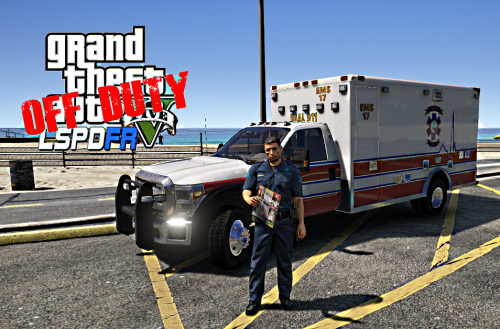 Awesome new skin! Is there anyway you can make this same skin for this newest ambulance? If not i understand just thought i would ask.
- 4 comments
- 1 review
-
 I may be doing something wrong but i am unable to get the skin to replace on the model and when i get it to replace it doesn't fit on the helicopter. Maybe i am doing something wrong. Some help would be great.
 -
Another LSPDFR Patrol
 Very Very nice ambulance mod. I haven't used the updated version yet but used the previous one in a video. Keep up the great work:
- 209 comments
- 40 reviews
Wanted to change up it some and show some in real video. This video is of Air Evac Lifeteam flying a patient from a scene. This video is some dash cam footage of ambulance responding to an emergency call in the city.Come check out the newest episode of LSPDFR-Paramedics!! Great set of cars! I just made a video using the caprice. Very well done and very simple for some old school action. https://goo.gl/QCO79G
- 60 comments
- 14 reviews
-
-

- 1
-
Patrol #2Thank you so much!Check out my first patrol-responding to a silent burglar alarm and much more. Please give me feedback and suggestions. Thank you. TraumaMedic out! https://goo.gl/6mbX9b
.thumb.jpg.8442e72245d02ff8de077eba41e919e4.jpg)

Account
Navigation
Search
Configure browser push notifications
Chrome (Android)
- Tap the lock icon next to the address bar.
- Tap Permissions → Notifications.
- Adjust your preference.
Chrome (Desktop)
- Click the padlock icon in the address bar.
- Select Site settings.
- Find Notifications and adjust your preference.
Safari (iOS 16.4+)
- Ensure the site is installed via Add to Home Screen.
- Open Settings App → Notifications.
- Find your app name and adjust your preference.
Safari (macOS)
- Go to Safari → Preferences.
- Click the Websites tab.
- Select Notifications in the sidebar.
- Find this website and adjust your preference.
Edge (Android)
- Tap the lock icon next to the address bar.
- Tap Permissions.
- Find Notifications and adjust your preference.
Edge (Desktop)
- Click the padlock icon in the address bar.
- Click Permissions for this site.
- Find Notifications and adjust your preference.
Firefox (Android)
- Go to Settings → Site permissions.
- Tap Notifications.
- Find this site in the list and adjust your preference.
Firefox (Desktop)
- Open Firefox Settings.
- Search for Notifications.
- Find this site in the list and adjust your preference.