



Epic Gaming
Members
-
Joined
-
Last visited
Everything posted by Epic Gaming
-
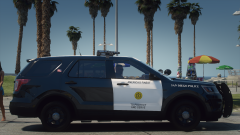
From the album: Epic Gaming's WIP
A new project underway! Going for accuracy for what I am able to do at least with whats available. -
 There is a handling line in the download you can use, but I tested it in police3 without and it works just fine!
- 13 comments
- 2 reviews
-
-

- 1
-
-
thank you! I will see what I can do to fix that. It is just the lightbar textures that came with it. I will add one soon! Found out they just started using chargers irl
- 13 comments
- 2 reviews
-
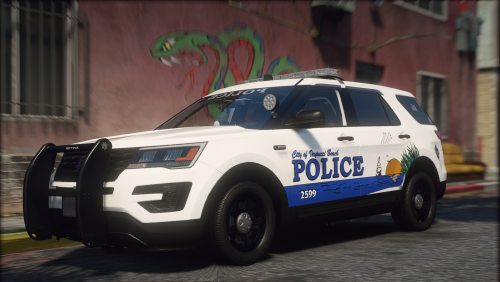
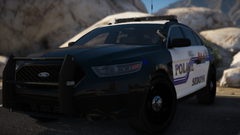
Vespucci Beach Police Pack Inspired by Fort Walton Beach PD File Info: Welcome to my second pack! I present to you today my new Vespucci Beach PD Pack inspired by the Fort Walton Beach PD in Florida. I visited FWB a few years ago and saw their police cars and always wanted to make them. They are so unique design wise. I've been working on this pack for the past few weeks and really happy with the outcome! Hope you guys enjoy as well. Also using Kane's new explorer base, looking absolutely fantastic! You can expect some more releases soon! ____________________________________________________________________________________ What's Included: - 2016 Ford Explorer - 2016 Ford Taurus - 2011 CVPI (Older Design) Terms of Use: - FiveM use: Knock yourself out, no support will be given. - Ripping, reselling, re-uploading etc: No, I don't think so. - Feel free to use in screenshots or videos, just ensure you give credit to me. - Enjoy! Installation support will NOT be given on any of my files. If you don't already know how to install something, you at least know how to use google to find out how. There are hundreds of great tutorials out there for any issue your having. ____________________________________________________________________________________ Known Bugs: None (If you find any bugs, please report it in the comments section so I can get it fixed!)
- 13 comments
- 2 reviews
-
-
- 11
-
-
-
-
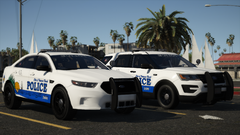
From the album: Epic Gaming's WIP
-
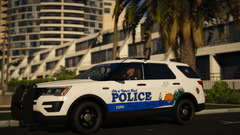
From the album: Epic Gaming's WIP
Inspired by Fort Walton Beach PD Plans on doing a Taurus as well! -
-
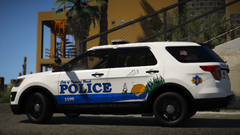
From the album: Epic Gaming's WIP
Based on Fort Walton Beach Police -
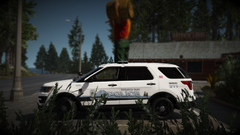
From the album: Epic Gaming's WIP
Los Alamos NM Based Redoing some old skins -
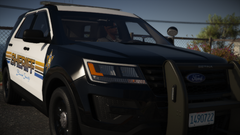
From the album: Epic Gaming's WIP
-
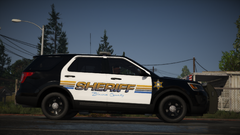
From the album: Epic Gaming's WIP
A hot new explorer with a hot new skin! Just had to make something with Kanes new base and here's what I came up with! I know the rambar is green, I realized when I got in game and didn't want to go out and come back in lol.. probably will replace it with a go rhino, what riverside uses irl -
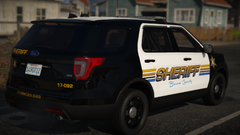
From the album: Epic Gaming's WIP
A hot new explorer with a hot new skin! Just had to make something with Kanes new base and here's what I came up with! -
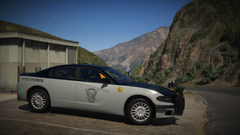
From the album: Epic Gaming's WIP
Start on my CSP Pack! Going for accuracy with what is available. -
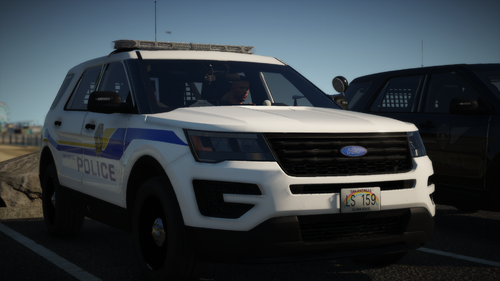 Try putting it in a different slot, or changing your handling. Police 3 is the best for explorers. Nothing to do with my model you just have to play with the slots or metas like I said.
- 11 comments
- 1 review
-
From the album: Epic Gaming's WIP
Some parts might not be 100% accurate but for the most part I was able to replicate the outside and lighting patterns -
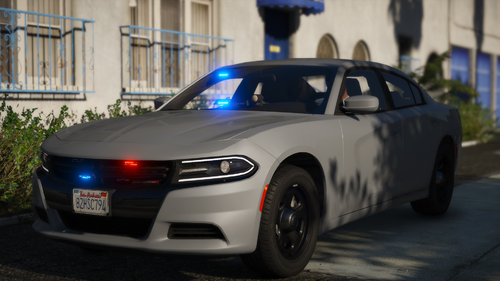 Multipurpose Unmarked 2018 Charger Fits all your needs! From traffic, gang unit, task force, detective, and more! File Info: I wanted to make a unmarked vehicle for a gang unit or whatever you wanted really... Stumbled across Oregon State Patrol unmarked charger and took some inspiration from their setup onto the charger! Template is included if you wanted to throw on a skin or do a ghost version! What's Included: - 2018 Unmarked Charger Extra's List: extra_9 - Radar (I have a few more extras to play with so may add some more to the charger in the future) Terms of Use: - FiveM use: Knock yourself out, no support will be given. - Ripping, reselling, re-uploading etc: No, I don't think so. - Feel free to use in screenshots or videos, just ensure you give credit to me. - Enjoy! ____________________________________________________________________________________ Known Bugs: None (If you find any bugs, please report it in the comments section so I can get it fixed!)
- 2 comments
- 1 review
-
-
- 8
-
-
-
First of all, thank you all for the support of my first model release! Not only the kind words on my WIP images but all those who helped along the way with ZMOD and all of its fun little challenges. Special thanks to @Walters and @Slendis! File Info: I was looking at police car pictures in Hawaii and instantly fell in love with Hawaii Police Dept. The design and vehicle layout was simple and clean. This is inspired by the marked explorer they use (mostly skin and basic vehicle layout) the rest is just kind of my own creation. What's Included: - 2016 Ford Explorer Marked - 2016 Ford Explorer Slicktop (Ghost and Unmarked Livery) Terms of Use: - FiveM use: Knock yourself out, no support will be given. - Ripping, reselling, re-uploading etc: No, I don't think so. - Feel free to use in screenshots or videos, just ensure you give credit to me. - Enjoy! ____________________________________________________________________________________ Known Bugs: None (If you find any bugs, please report it in the comments section so I can get it fixed!)
- 11 comments
- 1 review
-
-
- 5
-
-
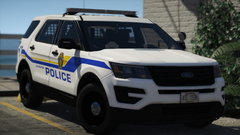
From the album: Epic Gaming's WIP
Car and skin by me! Inspired by Hawaii Police Going to also do a unmarked/ghost variation. This is my technically 3rd model as well so go easy on me! lol Don't mind the half cage, looked fine in zmod and OpenIV... probably going to switch it out for another one anyways -
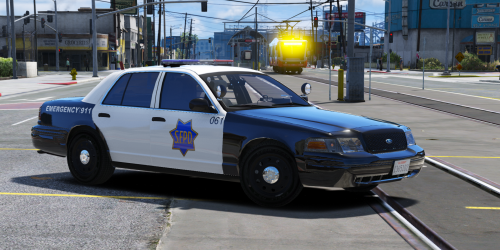 Ok. Fantastic. Once again, I did not create the vehicles. I only created the skins. It has nothing to do with me.
- 15 comments
- 8 reviews
-
-
- 1
-
-
LMAO. These are just skins. The vehicles are posted in the description. You can change the patterns on there to your liking, so you can "get it right". Nothing to do with me.
- 15 comments
- 8 reviews
-
 Love it!!! nForce is my favorite light bar, would love to see more added to this pack! For sure will be using in some videos soon 🙂
- 95 comments
- 24 reviews
-
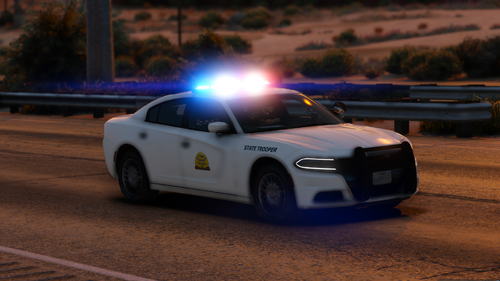 yesss!!! I have been waiting so long for people to make Utah HP stuff!! Would love to see more!
- 8 comments
- 4 reviews
-
-
- 1
-


