


Creators: Due to background reprocessing of files, approvals and file security checks may be delayed. Thanks for your patience.


GameandChill
Members
-
Joined
Everything posted by GameandChill
-
It's a Top of the line PC you should be good to run anything, old and new with no issues.
-
Check your Post FX in your Graphics Settings, make sure it's on High or Above.
-
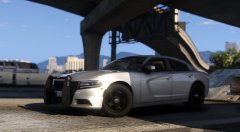 What graphics mods are you using?!?! Drools.
 -
update your drivers?
-
Scroll lock is the default ELS lock key.
-
Yes you can! These two Options in the INI change the speed.. The lower the number, the faster the lights flash! [ LIGHTING ] LightFlashDelayMainLts = LightFlashDelayCoronas =
-
Redownload Traffic Policer again, and reinstall it.
-
LSPDFR+
-
I recently just had that issue, and I ended up just redoing my mods folder. No clue on why it happens.
-
Don't know how I missed that! Thank you!
-
You'll have to change your Pause button from P, to something else. To get the control panel to open it's Control+P.. If you have a trainer have you tried to spawn the cars in that way,or through the Rage F4 menu? Does ELS work that way? Have you installed the VCF files that came with the Car Pack, in the Pack_Default folder inside of the ELS folder? And the mod you're looking for is this one.
-
Okay so I figured it out... kind of. For Sandy Shores, I have the paramedic unit responding from the hospital, and the Ambulance responding from the parking lot of the fire station. Depending on where I need EMS, if the paramedic gets there first, it cancels the Ambulance, is there anyway to stop that? I have the ambulance listed as responding from a fire station so that both will respond.
-
Is your Post FX on high or above?
-
I get that, and I apologize if I didn't make since last night, 4am and me don't get along to well. I figured you can configure that in the standard ini file, but I'm essentially asking if I need to add lines or what not. I've already messed with what Ambulance responds to what area, with what livery...( I have 4 ambulances and 1 paramedic tahoe in my game at the moment).
-
I just fangirled a little bit when I saw you commented. I know where the units are at, I'm just asking if I could add more to a standard EMS response? So that way the "paramedic car" comes with the Ambulance every time.
-
So here in my area, we have Volunteer and Paid EMT's, that normally show up in an ambulance.. And we have Paid Paramedics that show up in SUV's or Ambulances, to every ALS call. I was wondering, if there is a way to do this with the BetterEMS mod? And also if it's possible, to change what paramedic vehicle would show up with the responding Ambulance. Thanks.
-
There's a folder inside of your ELS folder in your directory called pack_default.. in there is where your VCF files go. That's where you can edit things for the ELS cars.
-
You shouldn't be able to open the ASI File.. that's the actual script file, you don't need to open that up, you just have to worry about the settings in the INI.
-
-
Okay it's actually really easy. Go into the VCF file of what ELS cars you want to disable the Ambulance_Warning siren in, and disable that siren.
-
Are you using ELS?
-
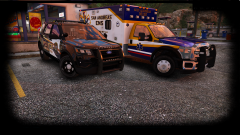 I like the box of the Ambulance.. not to sure on the Cab either.
 -
Started tinkering around today, and managed to figure this out! So I figured I'd make a video on it.
-
Are you spawning it VIA a trainer, or from the LSPDFR garage?
-
Well first, that is a beautiful vehicle. I've had that same issue before.. I restarted my PC and it seemed to fix it.. Not sure what exactly causes it.


