




GameandChill
Members
-
Joined
Everything posted by GameandChill
-
Yeah, I have no issue using ELS cars with RDE. Just make sure you install the vehicles in mods/update/x64/dlcpacks and whatever RDE folder the files are you're trying to replace, and don't forget to change the name's of the XML files for ELS, if you change the vehicle files name.
-
I play with my Logitech G27, and keyboard and mouse. I drive using the G27, and the Manual Transmission mod, just because that mod allows you to use the full 900 degree rotation, and has force feedback, and auto transmission modes, and adds a bit of realism to patrols.
-
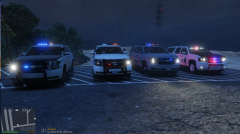
From the album: Screenshots of GTA V
Thank you to all of the modders out there on this website, my game wouldn't be anywhere near enjoyable as it is now, with all of you guys. Keep up all the good work. Really loving all of these Tahoe's! -
 Is there anyway to reload ELS once in game? it's annoying sometimes to edit the XML files, and have to restart the game.
- 2,655 comments
- 234 reviews
-
-
-
-
 Are there any rear warning lights?
 -
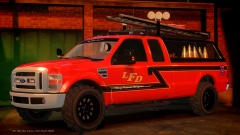
![[WIP] LFD Pack V2.0](//s3-gallery.int-cdn.lcpdfrusercontent.com/gallery/album_722/sml_gallery_3386_722_405374.jpg) I just want them to magically be in my GTA IV already! Please please please, make vehicles this quality for GTA V!
I just want them to magically be in my GTA IV already! Please please please, make vehicles this quality for GTA V! -
Do you have any sources of Unlocked Models?
-
How does one go about Reassigning all the textures? Again I'm a noob soo. lol
-
I have it .PNG. They all are. If you go to the link I posted up above , you can see that the Ambulance is a .z3d file. And I've exported the model, and put all of the textures on first, then re-imported it ,and it's still "Textureless" The whelen liberty isn't though. Is it something wrong with the Ambulance?
-
I'm going to be making this truck hopefully by using this F250 Ambulance, if you or someone can figure it out. My girlfriend made a skin for the newest F350 ambulance that was released, but I wanted to make something that looks even more like the actual ambulance.
-
I can see, I kinda figured. The Ambulance is going to be used for personal use anyway. I suck at modeling, otherwise I'd make one myself, but I'm just trying to find an ambulance that looks similar to the ones I have at the Ambulance Company I'm on.
-
Right here '?do=embed' frameborder='0' data-embedContent>> Scroll down, it was uploaded by Gucci Mane. It's post #97
-
Do you know if it's a texture from the liberty doing it, or is it from the Ambulance textures that were included. Like I said in the first post, I found that F250 Ambulance here, in the unlocked models thread. Edit: ahh I think I know what's going on. It's not putting the textures where they are supposed to go, even though I input them in before I import the model. Does anyone know how to fix this? I'm going to try a crown vic here in a little bit just to test things out.
-
Okay I got it to export but now when I spawn the ambulance in game, I get this error. Again I am a noob. This is my first vehicle I've ever "edited" or put lights on.
-
Hey guys, I found this unlocked Ford F250 Ambulance, this is the first vehicle I've ever edited. All I'm trying to do is add ELS lights. Well I think I do it succesfully, but when I try to export it, Zmodeler just locks up. I've even tried a CVPI and Suburban. What am I doing wrong?
-
Amazing truck! Currently making my own skin for it! Hope you make more versions of this ambulance, or eventually unlock it! I have so many ideas for this bad boy.
- 12 comments
- 11 reviews
-
http://www.youtube.com/watch?v=j6xHpDQSDg0 It's hard to explain what exactly is going on, but this is what's happening. PC specs: CybertronPC X-Plorer2 TGM4240A Gaming PC - AMD Phenom II X6 1055T 3.4GHz, 8GB DDR3, 1TB HDD, DVDRW, Dual Radeon HD 6570 1GB VRAM, Windows 7 Home Premium 64-bit

![[WIP] LFD Pack V2.0](http://s3-gallery.int-cdn.lcpdfrusercontent.com/gallery/album_722/sml_gallery_3386_722_405374.jpg)