
Fells
Members
-
Joined
-
Last visited
Everything posted by Fells
-
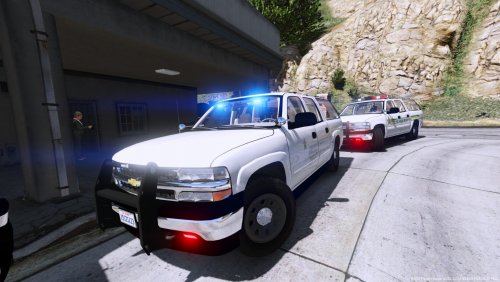
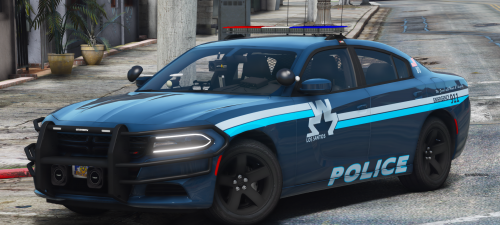
 Skins for the 2011 CVPI, 2013 Tahoe, 2014 Charger and 2016 Explorer. Not based on any real department. Installation: Open the .ytd files of your installed cars and replace their corresponding texture files with these. I've provided them for you in .dds format for quick dragging and dropping. Guaranteed to work with the following: CVPI, Charger and Tahoe: Explorer:
 -
These all sound like features from Albo1125's Traffic Policer. I shudder thinking about playing without it.
-
 Did you edit "pursuit.dds" as well? you need to copypaste all blue bits over all red bits
- 19 comments
- 13 reviews
-
-
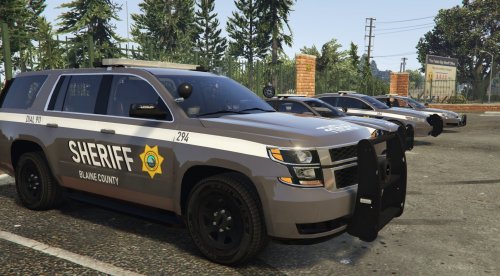 Skins for the 2014 Charger, 2016 Taurus, 2016 Impala and 2017 Tahoe. Not based on any real department. Installation: Open the .ytd files of your installed cars and replace their corresponding files with these. Will work with the following:
 -
 Im able to edit .dds just fine with paint.net I know OpenIV automatically converts other formats to gta compatible but if its already dds then you can simply drag&drop
- 10 comments
- 5 reviews
-
-
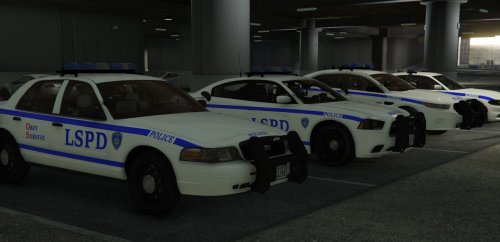
Lore friendly New York style skins for the Crown Vic, Taurus, -14&-15 chargers, -16 Explorer and -17 Tahoe. Vehicles used in screenshots: CVPI, Taurus, 2014 Charger: 2016 Explorer, 2017 Tahoe: 2015 Charger:
- 10 comments
- 5 reviews
-
-

- 1
-
-
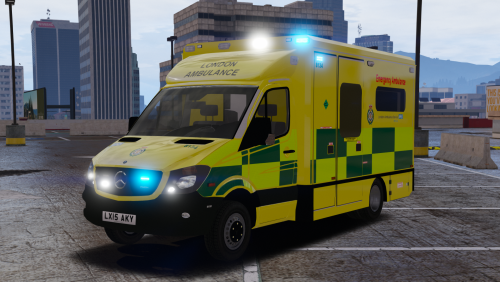
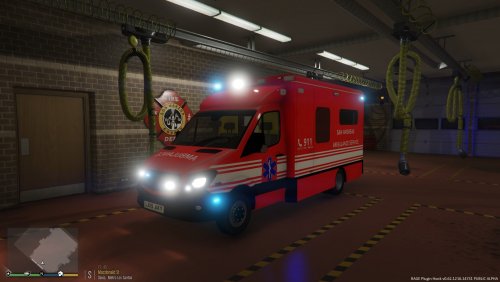 This is a skin for the 2015 London Ambulance MB Sprinter by ObsidianGames. I wanted a more lore friendly skin for it and chances are some of you would prefer that as well. It requires the following vehicle: http://www.lcpdfr.com/files/file/15305-2015-london-ambulance/ Installation: Open ambulance.ytd and replace car_sign_1 with the provided skin. Credits to ObsidianGames for the vehicle. I also copied the rear from the skin that comes with the vehicle by default. Everything else is my doing.
 -
-
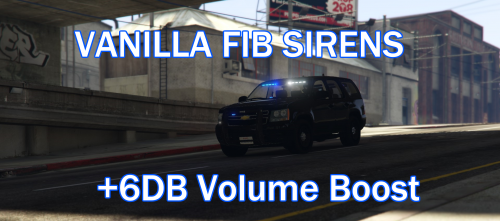 This is a siren replacement that replaces the default Police Primary Wail siren and the Police Secondary Yelp with the vanilla GTA V FIB sirens. By default, these sirens are somewhat quiet, so I have provided a volume boosted version of these sirens to use in any law enforcement vehicle. INSTALLATION: Use your OpenIV to navigate to: GTA V/mods/x64/audio/sfx/resident.rpf. Right click "vehicles.awc" and select "Export to openFormats (.oac)" and select a folder you wish to extract it to. You should now get a folder titled "vehicles", filled with .wav files, and "vehicles.oac". Move "0x0D329446" and "SIREN_2" into the vehicles folder, then replace all. To get the sirens into the game, right click on anywhere in OpenIV in the folder "resident.rpf" and select "Import openFormats". Then select "vehicles.oac" from the location you previously extracted it to and hit OK. CUSTOMIZATION: As said above, these replace Police Primary and Police Secondary tones. If you'd like them to replace another siren, rename the files to the filenames below, then replace as instructed above. 0x013F5FE7 - Police Bike Main 0x17DDFB5C - Police Bike Secondary 0x0A8960B6 - FIB Primary 0x0A49B203 - FIB Secondary 0x0D329446 - Police Primary SIREN_2 - Police Secondary POLICE_WARNING - Police Priority tone 0x0E0DA7BC - Granger Primary 0x16E74B3E - Granger Secondary 0x1C98C4D5 - Ambulance Primary 0x144C8602 - Ambulance Secondary AMBULANCE_WARNING - Ambulance Priority tone 0x14BFBCE3 - Firetruck Horn 0x159C9182 - Firetruck Primary 0x161768E7 - Firetruck Secondary CREDITS: Rockstar for the original FIB sirens, Fells for boosting their volume.
 -
Of course its intentional. They want us to play multiplayer and be exposed to shark card advertisement.
-
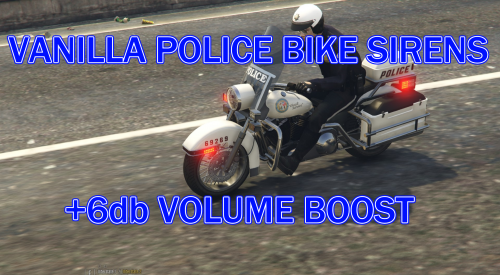 Like how the Vanilla Bike Siren sounds like? Replaced your other sirens with it but it was too quiet? This is definately for you! This is a siren replacement that replaces the default Police Primary Wail siren and the Police Secondary Yelp with the vanilla GTA V police bike sirens. By default, these sirens are somewhat quiet, so I have provided a volume boosted version of these sirens to use in any law enforcement vehicle. INSTALLATION: Use your OpenIV to navigate to: GTA V/mods/x64/audio/sfx/resident.rpf. Right click "vehicles.awc" and select "Export to openFormats (.oac)" and select a folder you wish to extract it to. You should now get a folder titled "vehicles", filled with .wav files, and "vehicles.oac". Move "0x0D329446" and "SIREN_2" into the vehicles folder, then replace all. To get the sirens into the game, right click on anywhere in OpenIV in the folder "resident.rpf" and select "Import openFormats". Then select "vehicles.oac" from the location you previously extracted it to and hit OK. CUSTOMIZATION: As said above, these replace Police Primary and Police Secondary tones. If you'd like them to replace another siren, rename the files to the filenames below, then replace as instructed above. 0x013F5FE7 - Police Bike Main 0x17DDFB5C - Police Bike Secondary 0x0A8960B6 - FIB Primary 0x0A49B203 - FIB Secondary 0x0D329446 - Police Primary SIREN_2 - Police Secondary POLICE_WARNING - Police Priority tone 0x0E0DA7BC - Granger Primary 0x16E74B3E - Granger Secondary 0x1C98C4D5 - Ambulance Primary 0x144C8602 - Ambulance Secondary AMBULANCE_WARNING - Ambulance Priority tone 0x14BFBCE3 - Firetruck Horn 0x159C9182 - Firetruck Primary 0x161768E7 - Firetruck Secondary CREDITS: Rockstar for the original Police Bike sirens, Fells for boosting their volume.