




Empire
Members
-
Joined
-
Last visited
Everything posted by Empire
-
-
congrats to @Ben, @CouthInk4, @TheUniT and @Lt.Caine, @CouthInk4, I'm probably the closest person to you, or unless there is more members from Tasmania
-
5/10 Has no noise
-
Nope, maybe bug's lol (we all wish) Only one person that got it right. ME
-
3/10 He looks like to be a mad boss
-
Thanks, I installed the new models right into the main heart of GTA.
-
Yep.. Tony Abbott no longer in the seat. He got kicked out. YEAH YEAH YEAH Mr rabbit more like
-
NOPE... I try the TheUniT
-
Do you pop your knuckles alot? I usually don't pop them that much. I only pop my fingers and that is only a few times each day.
-
If no avatar above you, Good luck Lets see how mine is rated
-
I'm probably going to say this once that everyone here will definitely say. LSPDFR
-
wrong Maybe Sam...
-
Simple guess the next poster I say Empire
-
Would you rather be a jack of many trades or a master of one? Why and what skill(s) would you want to have?
-
In your opinion: What will 2015 be remembered for?
-
Invision power has released 4.0.13.1 with more little fixes. I updated then a hour later the theme got messed up with allot of 404 errors. that sucks. Easy fix!. Just do a fresh install of the theme, then taken 20mins to decode it all again for my needs.
-
We are all still using PHP5 at the moment. never upgraded to PHP6.
-
Properly still got allot of errors to fix up or improvements. Hope you guys are ready for PHP7 It be released in November 2015, I'm definitely looking forward to the new change. PHP7 has backwards Incompatible changes with new features. My personal favorite addition to PHP 7 is the addition of the combined comparison operator, otherwise known as the spaceship operator.
-
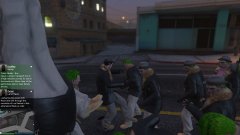
From the album: Empire GTA V
GTA Cheats, Yep someone had really made me rage for taking my guns and doing things to me. However he gave me over 900K and extra free guns© empire
-
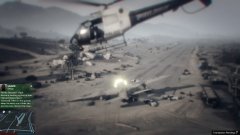
From the album: Empire GTA V
I been holding back for 10mins, then I thought I fly out of the dead land walking. DEAD. Great image© Empire
-
-
I agree with you on that (nervous), where custom made pages or side widgets might not support with 4.1 or after upgraded might be lost. However no need if you have backups. But who care! right! after playing around with the preview of 4.1 we all going to love it So much options.
-
This is definitely not from IPS, I'm interested who made it and I had admins from other website, including me that are definitely interested in having the same layout. looks 10x better than the ipdownload default layout. also seems the site increased amount of allowed featured files so it can showcase more on slideshow. So are you guys willing to post on community.invisionpower.com and share your content? damn great job Plus! to update you all including the owners (sam) IPS will be releasing IPS Community Suite 4.1 Read me here https://community.invisionpower.com/blogs/entry/9737-ips-community-suite-41-preview-available/ Yes I can't wait to install the new 4.1 there is so much options and I had fun with the preview
-
I came across, It's really good I differently like it. And I have learned some things. What do you guys thing?
-
Hay guys thanks for the helpful reply's So fair, the total votes for the following (with two other sites) villain total 6 uniform total 8 As for the animate, it's differently out. So it seems that Uniform is the winning. Damn! this is really hard for me. They are both good and picking between the two is hard. Right, help out little more.

